
Articles in this section
- Studio in Revu 2020, designed for real remote work!
- Increase your work performance with Archicad BIM Manager certification program
- GRAPHISOFT BIM Manager with terminologies of Spanish regulations
- GRAPHISOFT BIM Manager Certification Program 2020 in Spanish
- SIMBIM Support Kit for ARCHICAD users during COVID-19 crisis
- Emergency license for ARCHICAD
- Statement by GRAPHISOFT SE regarding the novel coronavirus (COVID-19)
- Why ARCHICAD Start Edition? (Reasonable investment vs Renting)
- Become a Certified ARCHICAD BIM Professional
- ARCHICAD is free for students, educators, researchers, and schools
ARCHICAD is free for students, educators, researchers, and schools
By SIMBIM Solutions
Originally published on 21 October 2019. Versions, prices, offers and partnerships may have changed.
ARCHICAD is free for students, educators, researchers, and schools
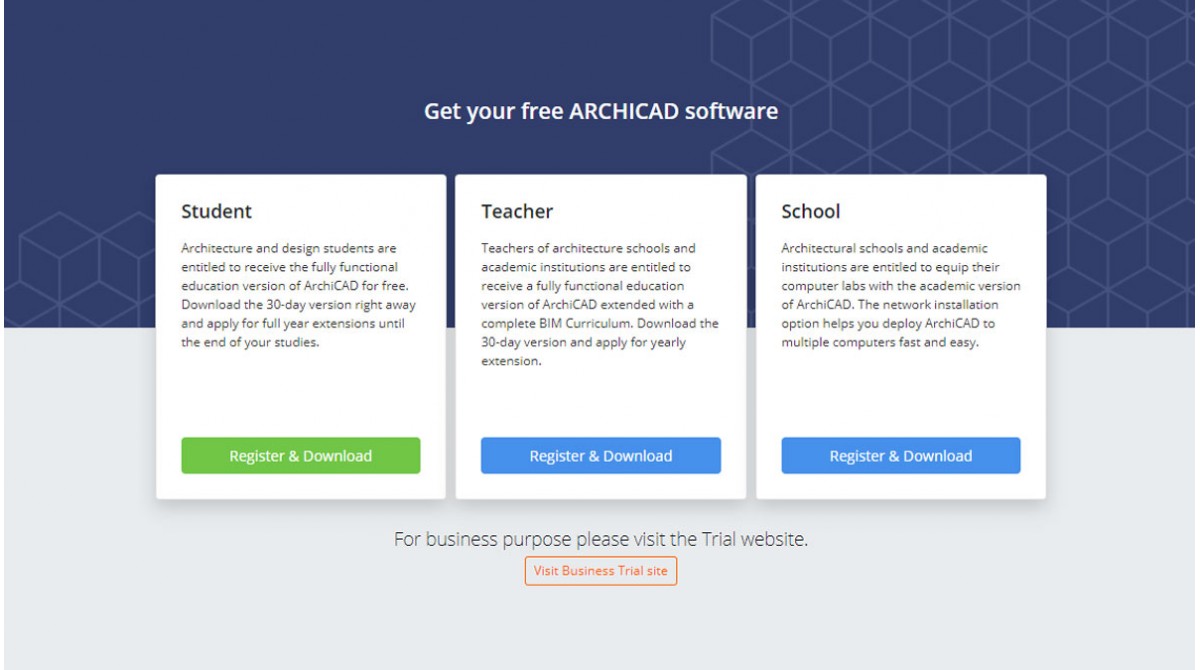
GRAPHISOFT supports students, educators, researchers and schools with its BIM software solutions by providing free educational ARCHICAD licenses during their educational activities. This support has been given for many years, but from 14 October 2019 the professional trial access to ARCHICAD is separated from educational site in order to provide a specialized customer care for professionals and a better educational support for students, educators, and researchers. This new approach is implemented after the #graphisoftLEARN program*. In this post I will explain you how to access to ARCHICAD for free.
For Students
As I mentioned, students, educators, researchers, and schools are entitled to receive the fully functional educational version of ARCHICAD for free. For that, first you need to download the 30-days version from MyARCHICAD.com platform and then apply for full year extensions until the end of your studies. Keep in mind that the general process is same for educators, researchers, and schools. You just need to have a valid justification that affiliate you to an educational institute. The following video shows how to register and get one-year free license for ARCHICAD.
To learn BIM with ARCHICAD you can register for free to get basic training or subscribe as low as 99 euro per month to receive fully live training and professional BIM certificates from GRAPHISOFT. But if you are an advanced user and still want to learn more, check out GRAPHISOFT BIM Manager week program which will take place during 25-29 November 2019 in Spain.
For Professionals
Downloading and testing ARCHICAD is now easy and streamlined. With few simple clicks and GRAPHISOFT ID registration, you can download and try ARCHICAD in demo mode and then you can get your trial license to be able to save files as well. To do that, go to Try ARCHICAD page and create your account. If you are in Spain do not forget to choose SIMBIM as your provider for best in class offers and customer support.
That’s it, now you can directly download ARCHICAD and enjoy the adventure. To learn more about ARCHICAD 23 please check out its micro-website in Spanish, where you can find collections of all you need to know about the new ARCHICAD 23, records of technical webinars, offers, and many short tutorial videos in Spanish!
*#graphisoftLEARN program is a best in class knowledge-based support initiative from GRAPHISOFT for both ARCHICAD professional users and students to empower BIM implementation into their workflow through ARCHICAD.Related articles
- Studio in Revu 2020, designed for real remote work!
- Increase your work performance with Archicad BIM Manager certification program
- GRAPHISOFT BIM Manager with terminologies of Spanish regulations
- GRAPHISOFT BIM Manager Certification Program 2020 in Spanish
- SIMBIM Support Kit for ARCHICAD users during COVID-19 crisis