
Articles in this section
- How to Create an Archicad Template and What It Should Contain?
- How to Reallocate Bluebeam Subscriptions Between Accounts?
- How to Subscribe to Software with SIMBIM
- Archicad Files Don't Show the Correct Icon on Windows
- Why Can't I Assign a Licence If the User Shows Up as a Guest?
- How to Reset Your Bluebeam ID (BBID) Password?
- How to Transfer Markups to Another Document?
- How to Manage My Bluebeam Subscriptions?
- How to Change the Administrator of a Graphisoft ID Company?
- How to Use Bluebeam Revu on Mac Computers?
How to Change the Administrator of a Graphisoft ID Company?
Each Graphisoft ID company has a single administrator, who holds the highest level of authority within the company account. The administrator manages:
- Users and their groups
- Company data
- Licences and their subscription assignments
The current administrator can transfer their role to another company member from the Company Portal. If the person you want to assign the role to isn't yet a member, they must first link their Graphisoft ID to the company.
Prerequisites
- You must log in as the current administrator in the Company Portal.
- The person you want to designate as the new administrator must be a company member. (If they aren't yet, link them first before continuing).
How to Change the Administrator
- Log in to the Company Portal with the current administrator's Graphisoft ID.
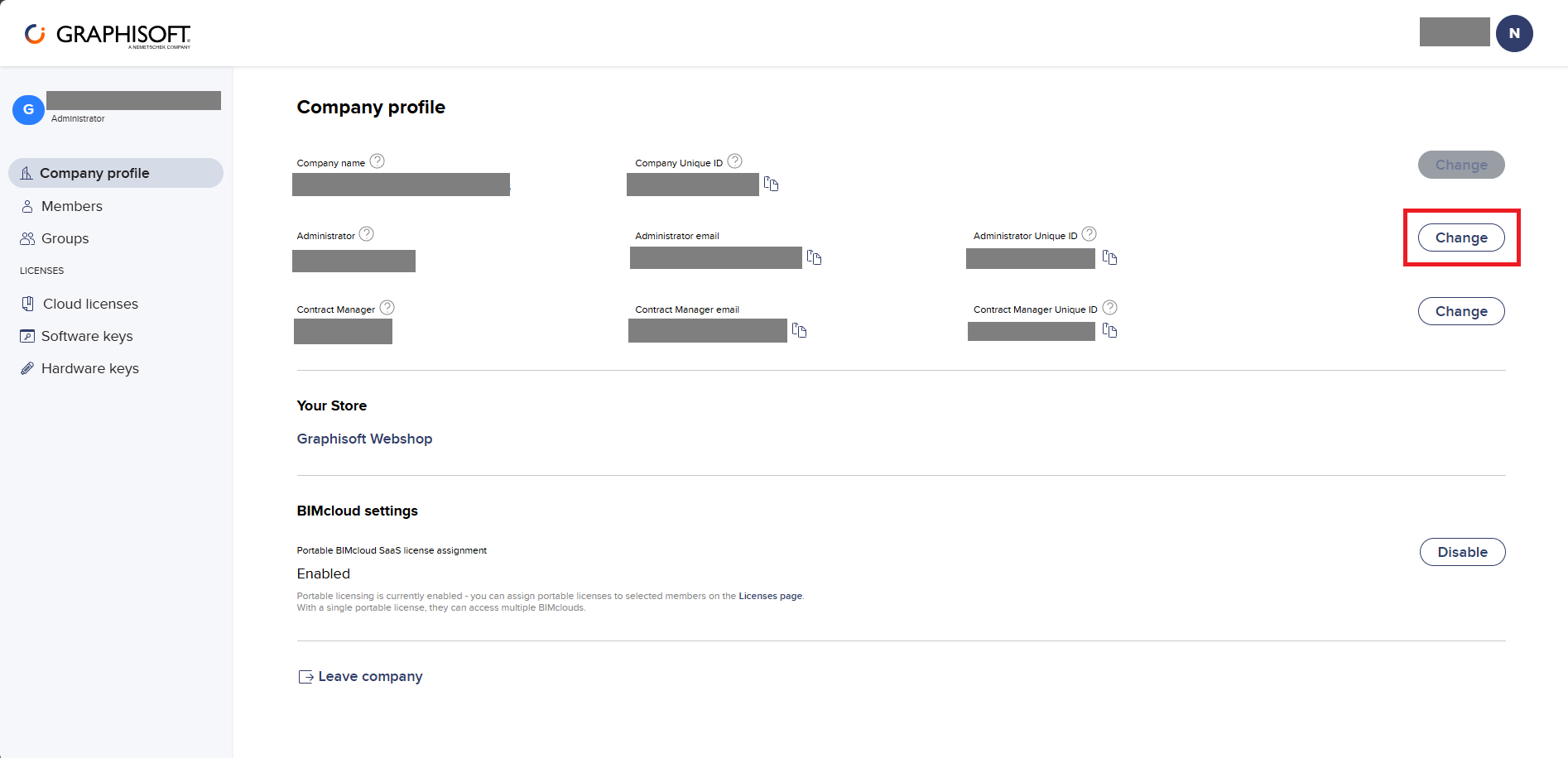
- Go to the Company Profile section.
-
Click Change, next to the current administrator's name.
- In the pop-up window, select a company member to assign the new administrator role to (only linked members are shown).
- Click Change to send the request.
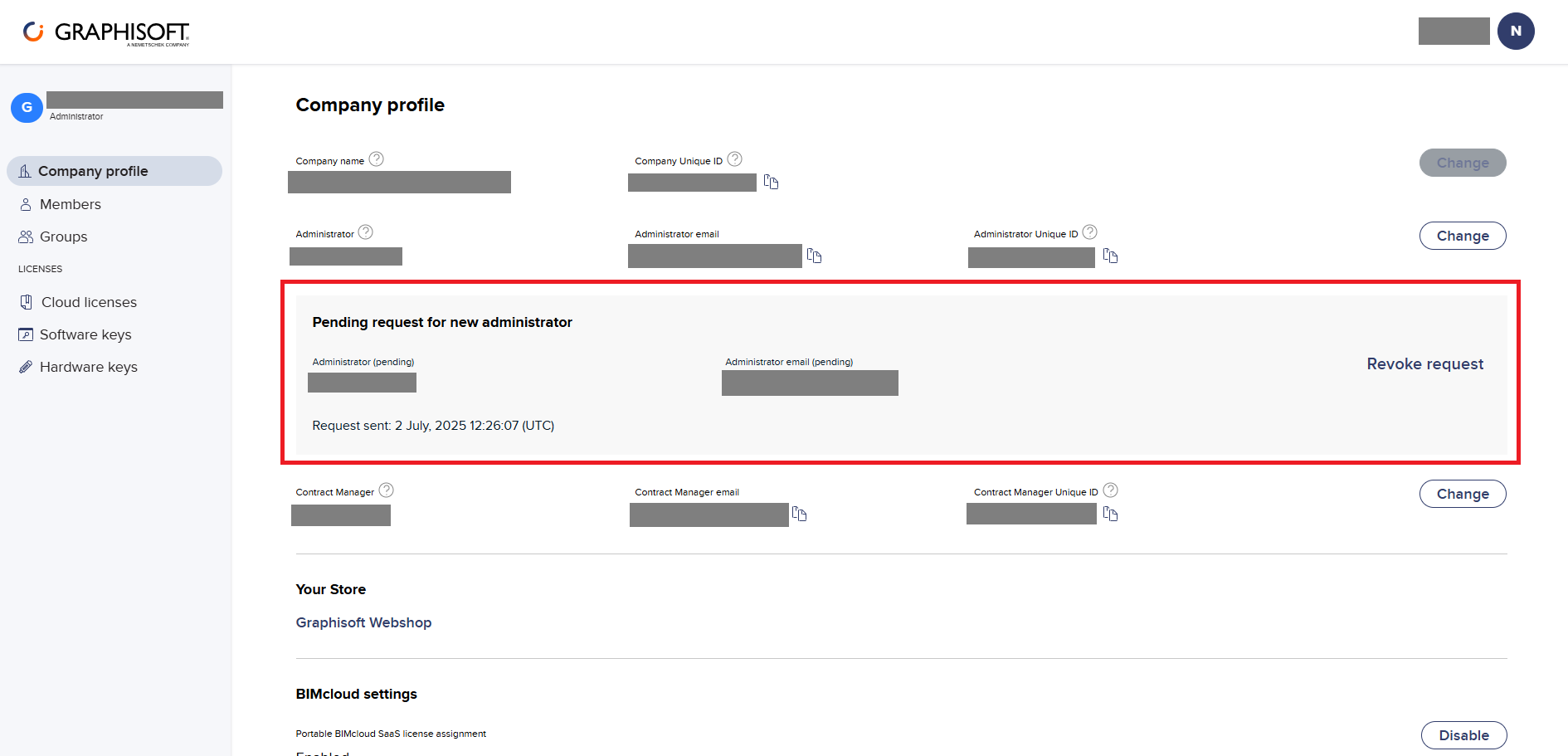
- A notice will appear in the Company Profile indicating there's a pending request to change the administrator.
- The selected person will receive an email with the invitation to accept the change.
-
The recipient must click Show admin request, log in to the portal and accept the request.
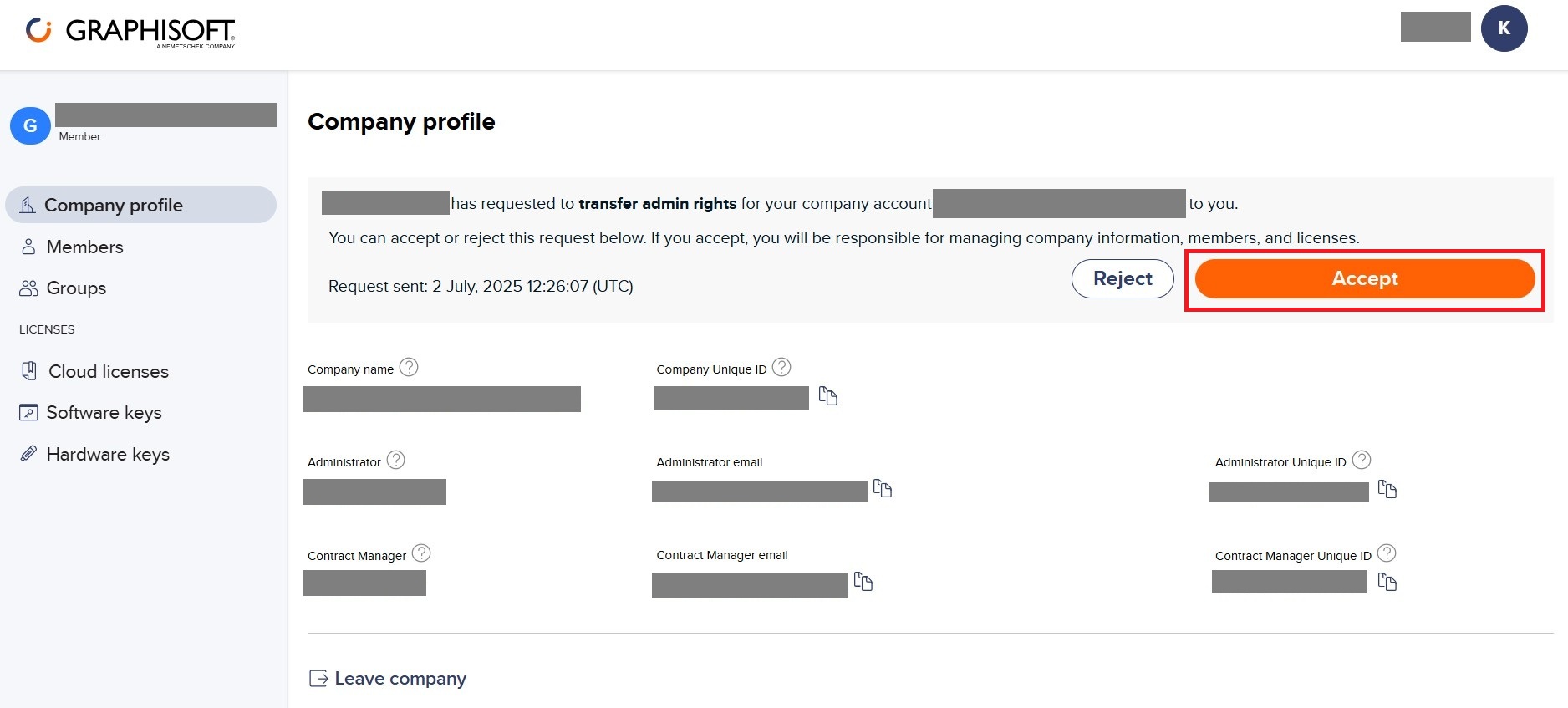
- Once accepted, that person becomes the new administrator, and both parties will receive a confirmation email.
Cancelling or Rejecting a Transfer
-
Revoke Request (current administrator): from the Company Profile, the administrator can click Revoke Request to cancel the pending change. The designated member will be notified by email.
- Reject (newly designated member): the invited user can reject the request directly from the email they received or from the portal. The current administrator will receive a notification of the rejection.
Important Note
If the current administrator is no longer available (for example, they have left the company), contact SIMBIM® support to process the change:
📞 800 000 143
🌐 my.simbim.es