
Articles in this section
- How to Create an Archicad Template and What It Should Contain?
- How to Reallocate Bluebeam Subscriptions Between Accounts?
- How to Subscribe to Software with SIMBIM
- Archicad Files Don't Show the Correct Icon on Windows
- Why Can't I Assign a Licence If the User Shows Up as a Guest?
- How to Reset Your Bluebeam ID (BBID) Password?
- How to Transfer Markups to Another Document?
- How to Manage My Bluebeam Subscriptions?
- How to Change the Administrator of a Graphisoft ID Company?
- How to Use Bluebeam Revu on Mac Computers?
Archicad Basics - Objects in Archicad
Reading time: 5 min.
Archicad is a powerful architectural design tool that offers a wide range of features to make it easier to create complex projects. One of the fundamental things new users need to understand is Objects in Archicad. Below is a basic guide to understanding and using objects in Archicad.
1. The Object Tool
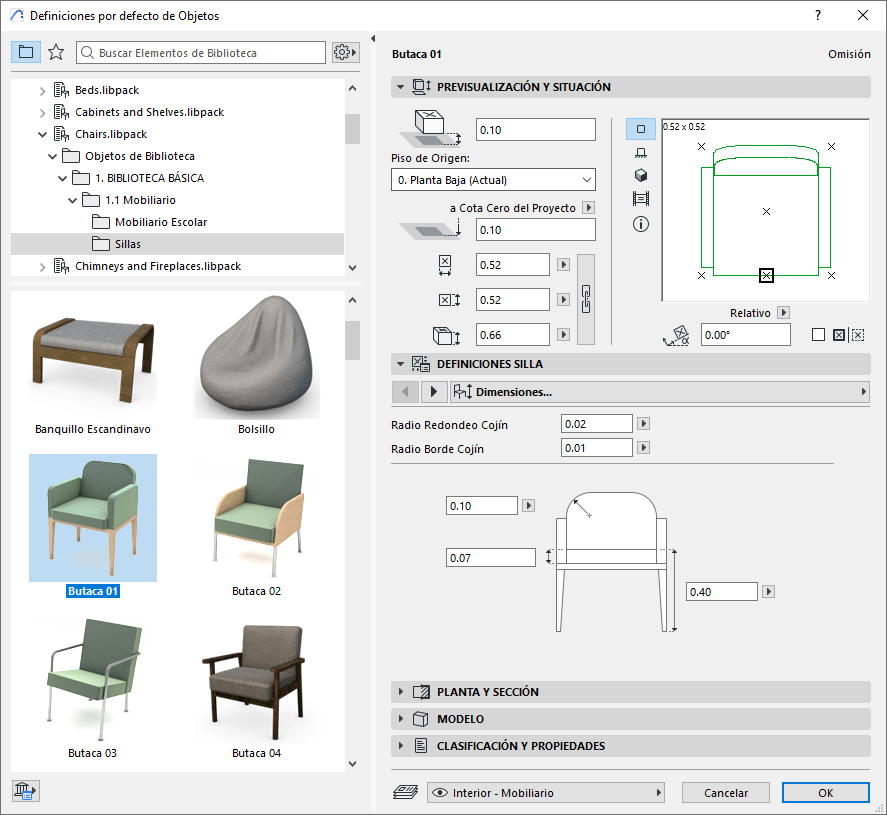
The Object tool in Archicad is used to place object-type library items in the project, such as furniture elements. These objects are highly parametric, meaning you can adjust their size, colour and other parameters to suit the specific needs of your project (see example photo).
2. Types of Tools
In Archicad, there are different types of tools that use library items to define their geometry:
-
Objects, Doors and Windows: These tools use a single library item to define their geometry.
-
Stair and Railing: These tools use several library items as sub-elements, and are known as hierarchical tools because of their more complex structure.
3. Favorites
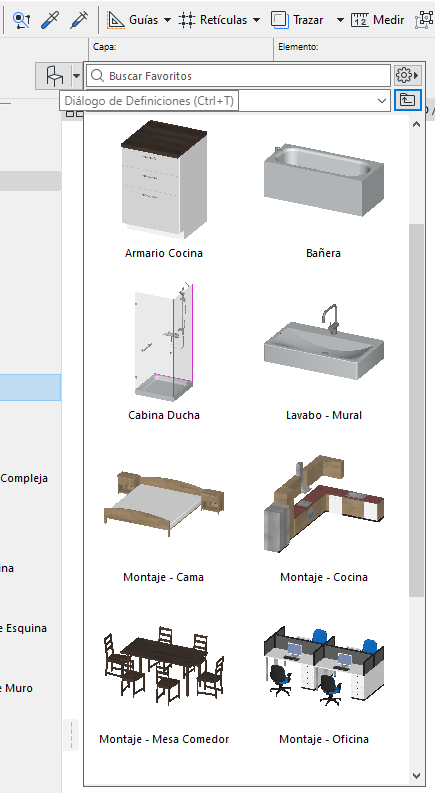
Archicad's default template includes many predefined Favorites. Favorites are tool settings that have been saved and can be applied instantly whenever needed. This lets users save time and keep their projects consistent (see example photo).
4. Object Settings Dialog Box
When you open the object settings dialog box, you will find a folder structure of items on the left-hand side offering many options. On the right-hand side of the dialog box, you can set the overall sizes and position of the selected object. In addition, the tabs at the bottom let you customise the object, its plan representation and its metadata.
5. Placing Objects
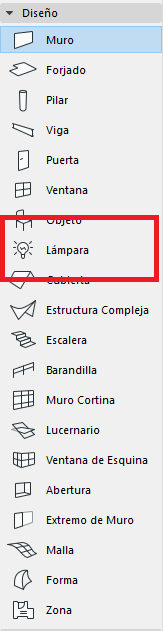
To place an object in your project, simply select the item you want from the library, adjust its parameters as needed and place it in any 2D or 3D view. It's worth noting that lamps are not placed using the Object tool, since there is a dedicated Lamp tool in the toolbox designed for this purpose. However, the settings for lamps are similar to those for generic objects.
6. Using Favorites
Favorites included in Archicad's default template are an excellent way to populate your design with pre-configured objects quickly and efficiently. You can also experiment with objects' parameters to achieve different results and customise your project to your preferences.
Conclusion
Understanding and using Objects in Archicad is essential to getting the most out of this architectural design tool. With the Object tool, Favorites and the object settings dialog box, new users can create detailed, customised projects efficiently. Explore the possibilities and take your designs to the next level!