
Articles in this section
- How to Create an Archicad Template and What It Should Contain?
- How to Reallocate Bluebeam Subscriptions Between Accounts?
- How to Subscribe to Software with SIMBIM
- Archicad Files Don't Show the Correct Icon on Windows
- Why Can't I Assign a Licence If the User Shows Up as a Guest?
- How to Reset Your Bluebeam ID (BBID) Password?
- How to Transfer Markups to Another Document?
- How to Manage My Bluebeam Subscriptions?
- How to Change the Administrator of a Graphisoft ID Company?
- How to Use Bluebeam Revu on Mac Computers?
Archicad Basics - Stories in Archicad
Reading time: 5 min.
In Archicad, Stories represent the vertical divisions of an architectural project. Think of stories as the different levels of a building, extending from one finished floor slab to the next. These Stories are fundamental to organising and visualising the project, allowing you to view the structures in sections, elevations and 3D.
Adjusting Story Settings
To adjust the story settings in Archicad, you have two main methods:
-
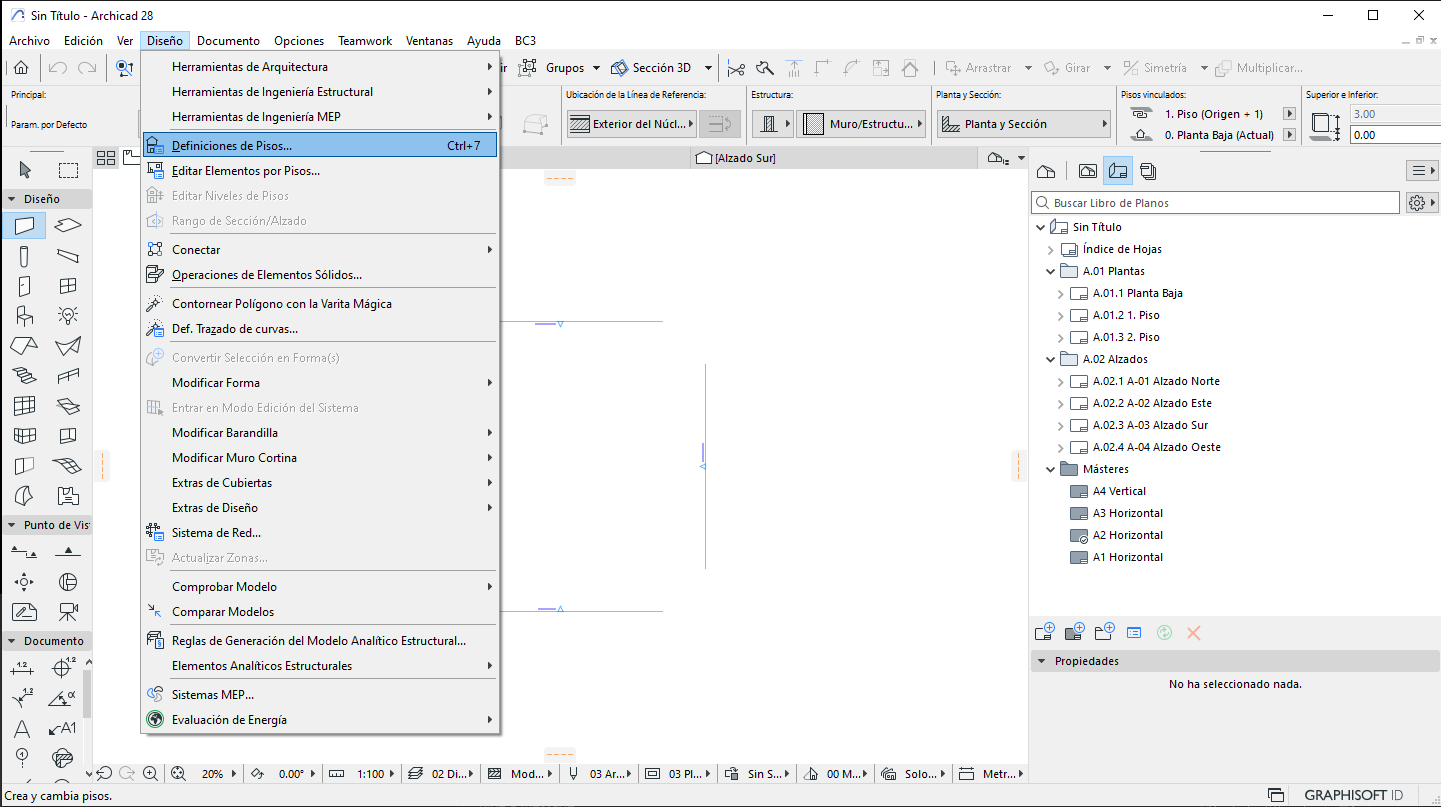
Design Menu:
-
Navigate to Design Menu > Story Settings.
-
-
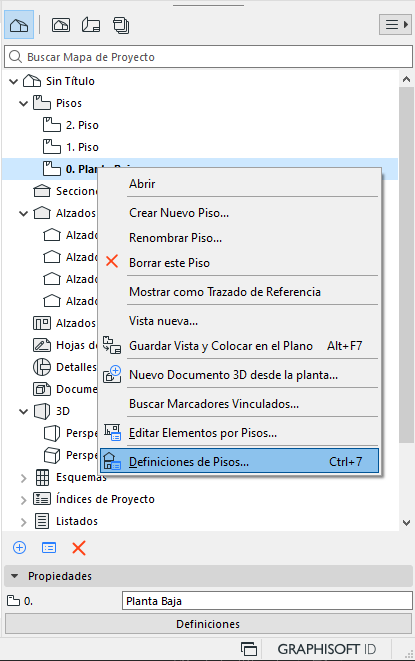
Navigator:
-
In the Navigator, located on the right of the interface, right-click on any story.
-
Select Story Settings from the context menu.
-
Inserting and Deleting Stories
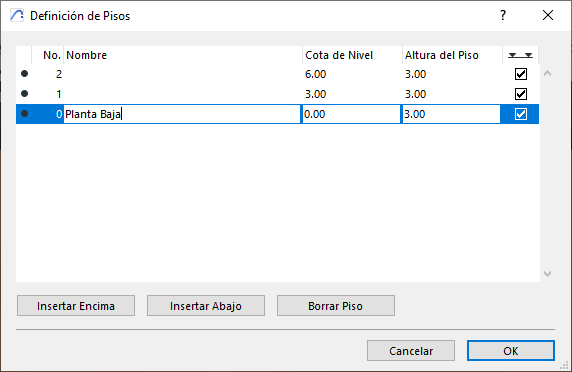
Within the Story Settings dialog box, you can manage the stories of your project easily:
-
Inserting Stories:
-
Select an existing story.
-
Use the Insert Above or Insert Below options to create new stories above or below the selected one.
-
-
Deleting Stories:
-
Select the story you want to delete.
-
Click Delete Story.
-
Linking Vertical Elements
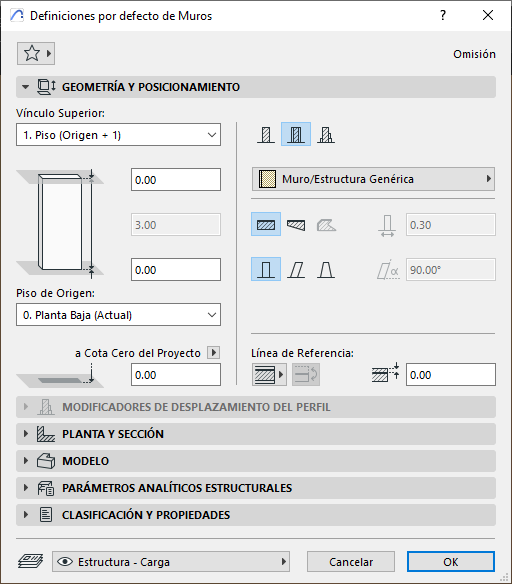
A useful feature of Archicad is the ability to link vertical elements, such as walls, directly to Stories (see photo). This means that the height of walls can adjust automatically when you modify the height of the corresponding story. This functionality ensures that changes to the building structure are reflected consistently across all linked elements.
Tips for New Users
-
Experiment: Don't hesitate to experiment with inserting and deleting Stories to get familiar with how they work.
-
Visualise: Use the section, elevation and 3D views to better understand how Stories are structured in your project.
-
Adjust: Take advantage of Archicad's flexibility to adjust the heights and settings of Stories to suit the specific needs of your design.
Conclusion
Stories are an essential part of organisation and design in Archicad. Understanding how to adjust, insert and delete stories, as well as link vertical elements, will let you manage your projects more efficiently and precisely. Go ahead and explore and master these basic tools to get the most out of Archicad!