
Articles in this section
- How to Create an Archicad Template and What It Should Contain?
- How to Reallocate Bluebeam Subscriptions Between Accounts?
- How to Subscribe to Software with SIMBIM
- Archicad Files Don't Show the Correct Icon on Windows
- Why Can't I Assign a Licence If the User Shows Up as a Guest?
- How to Reset Your Bluebeam ID (BBID) Password?
- How to Transfer Markups to Another Document?
- How to Manage My Bluebeam Subscriptions?
- How to Change the Administrator of a Graphisoft ID Company?
- How to Use Bluebeam Revu on Mac Computers?
BIMx Model Transfer Site
Reading time: 5 min.
The BIMx Model Transfer Site (or the BIMx Transfer Site) is an online platform designed for sharing and managing BIMx Hyper-Models. Below, we provide a detailed guide to help you get the most out of this tool.
What Is the BIMx Model Transfer Site?
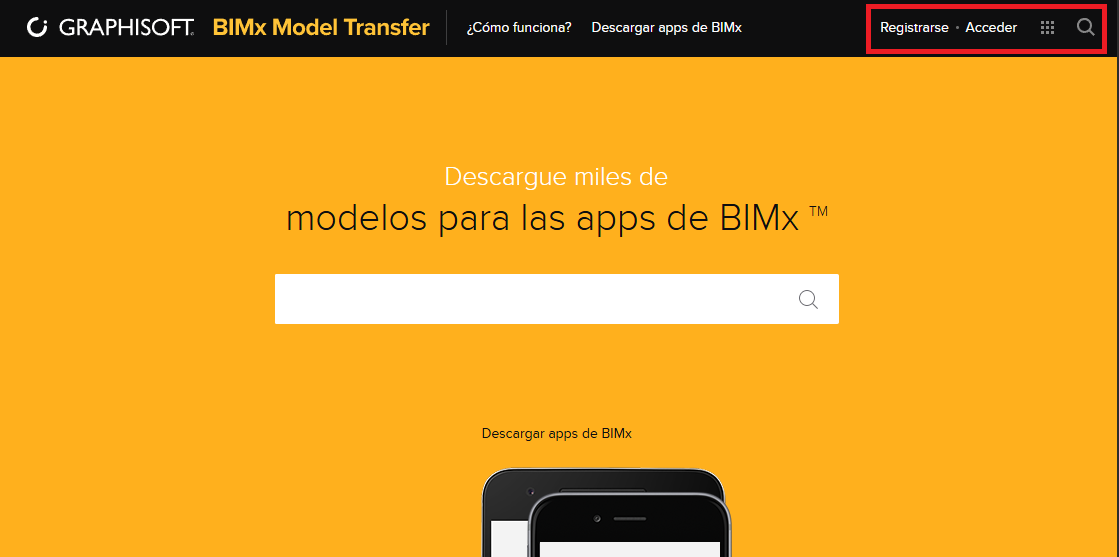
The BIMx Model Transfer Site, accessible at bimx.graphisoft.com, lets users explore their own creations and models shared publicly by other users. It's an essential tool for architects, designers and anyone working with BIMx models.
How to Sign In and Manage Your Models
To manage your models, follow these steps:
-
Sign in: Use your Graphisoft ID account (the same one you used to publish your model) by clicking "Sign In" in the top right corner of the screen.
-
Go to your profile: Once signed in, go to your user profile to see all your models.
Storage and Visibility
-
Storage: GRAPHISOFT subscribers enjoy 10 GB of private storage.
-
Model Visibility: You can set your models as:
-
Public: Accessible to any visitor to the site.
-
Private: Only accessible via a direct link.
-
Password Protected: Require a password to access.
-
Sharing Models
Sharing your models is simple and can be done in several ways:
-
Copy the Link: Copy the link from the address bar and share it.
-
Embed on Your Website: Use the available buttons to embed models on your website.
-
Social Media: Share your models directly on social media.
-
Email: Send a link to your model by email.
Exploring Models
You can explore models in the following ways:
-
On Your Desktop or Mobile App: Use the provided download link.
-
In Your Browser: For an immersive experience, click the “play” button in the centre of the model's image.
Additional Tips
-
Navigation and Exploration: Dive into the projects and explore every detail directly in your browser.
-
Access Anytime, Anywhere: Enjoy the freedom to access your BIMx files whenever and wherever you need to.
Conclusion
The BIMx Model Transfer Site is a powerful, flexible tool that makes it easy to manage and share BIMx models. With its various storage, visibility and sharing options, it's an ideal solution for design and architecture professionals.
Explore, share and manage your BIMx models with ease and efficiency!