
Articles in this section
- How to Create an Archicad Template and What It Should Contain?
- How to Reallocate Bluebeam Subscriptions Between Accounts?
- How to Subscribe to Software with SIMBIM
- Archicad Files Don't Show the Correct Icon on Windows
- Why Can't I Assign a Licence If the User Shows Up as a Guest?
- How to Reset Your Bluebeam ID (BBID) Password?
- How to Transfer Markups to Another Document?
- How to Manage My Bluebeam Subscriptions?
- How to Change the Administrator of a Graphisoft ID Company?
- How to Use Bluebeam Revu on Mac Computers?
How to Install Archicad on a Mac Computer?
Reading time: 3 min.
Archicad is a powerful architectural design tool that can be installed on Mac computers. Follow these steps for a successful installation:
1. Preparation
System requirements
Before you begin, make sure your Mac meets the minimum hardware and software requirements for Archicad. This includes having enough disk space, adequate RAM and a compatible version of macOS.
Downloading the installer
Download the Archicad installer (Downloads – Graphisoft Spain). Make sure to select the correct version for your operating system and language.
2. Installation
Once the file has been downloaded, open it and follow the installation wizard's instructions. This process includes accepting the software's terms and conditions.
3. Additional configuration
Full Disk Access
To ensure Archicad works correctly, you need to enable full disk access.
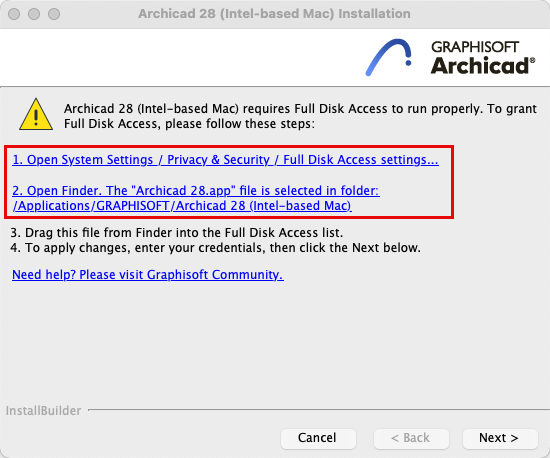
This is done in your Mac's security preferences:
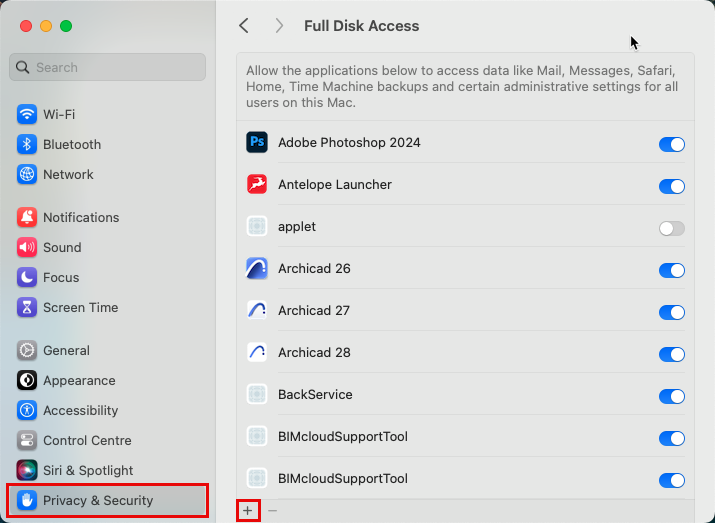
- Go to System Settings > Privacy & Security.
-
Select Full Disk Access Settings.
-
Click the “+” symbol and add Archicad to the list of applications with full disk access.
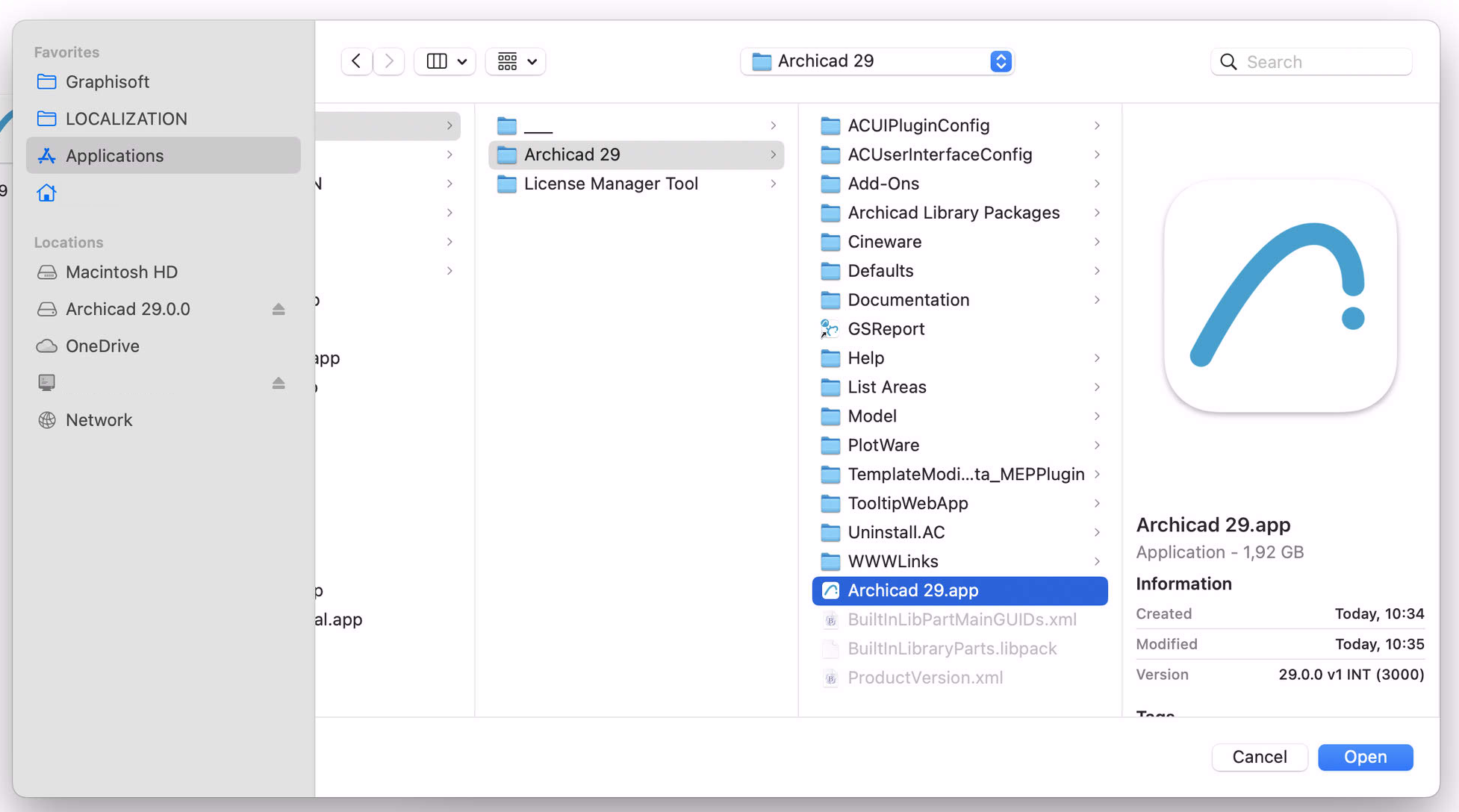
- Return to the Archicad installer and click Next to continue.
4. Completion
Click Finish. You may be prompted to restart your computer.
open Archicad and sign in with your Graphisoft ID.