
Articles in this section
- How to Create an Archicad Template and What It Should Contain?
- How to Reallocate Bluebeam Subscriptions Between Accounts?
- How to Subscribe to Software with SIMBIM
- Archicad Files Don't Show the Correct Icon on Windows
- Why Can't I Assign a Licence If the User Shows Up as a Guest?
- How to Reset Your Bluebeam ID (BBID) Password?
- How to Transfer Markups to Another Document?
- How to Manage My Bluebeam Subscriptions?
- How to Change the Administrator of a Graphisoft ID Company?
- How to Use Bluebeam Revu on Mac Computers?
How to Release an Archicad Cloud Licence from Another Device?
If you are using Archicad with a cloud licence (Cloud License), keep in mind that it is not tied to a specific device, but it can only be used on one device at a time. If you need to switch computers, you can release the licence easily, even remotely.
Steps to release your Archicad licence
-
Log out on the first device
If you still have access to the device where you last used Archicad, simply log out from the user menu. This will automatically release the licence.
-
Release the licence from your Graphisoft ID
- Open Archicad and log in with your Graphisoft ID.
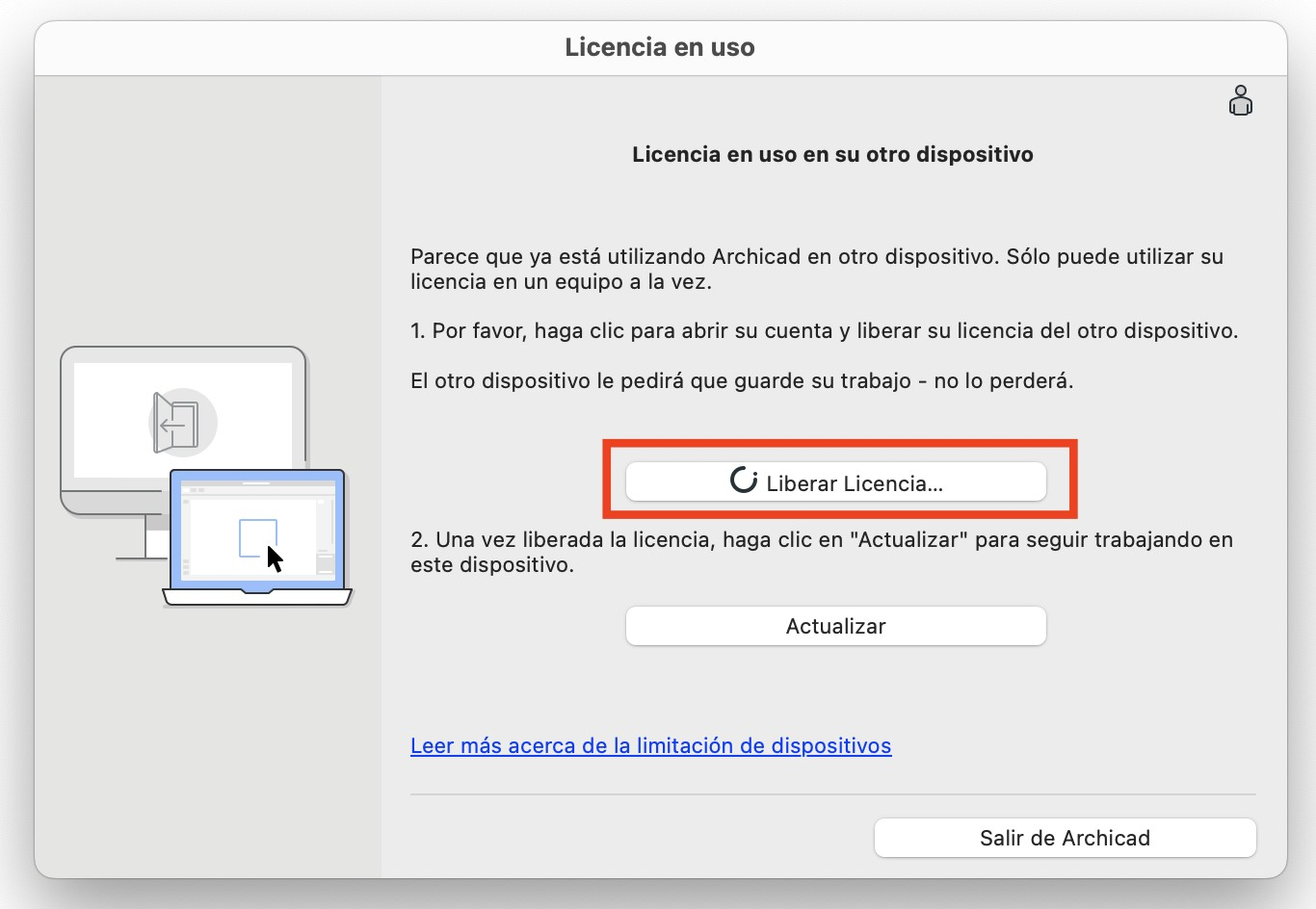
- A message will appear indicating that the licence is in use on another device.
- Click “Release Licence”.
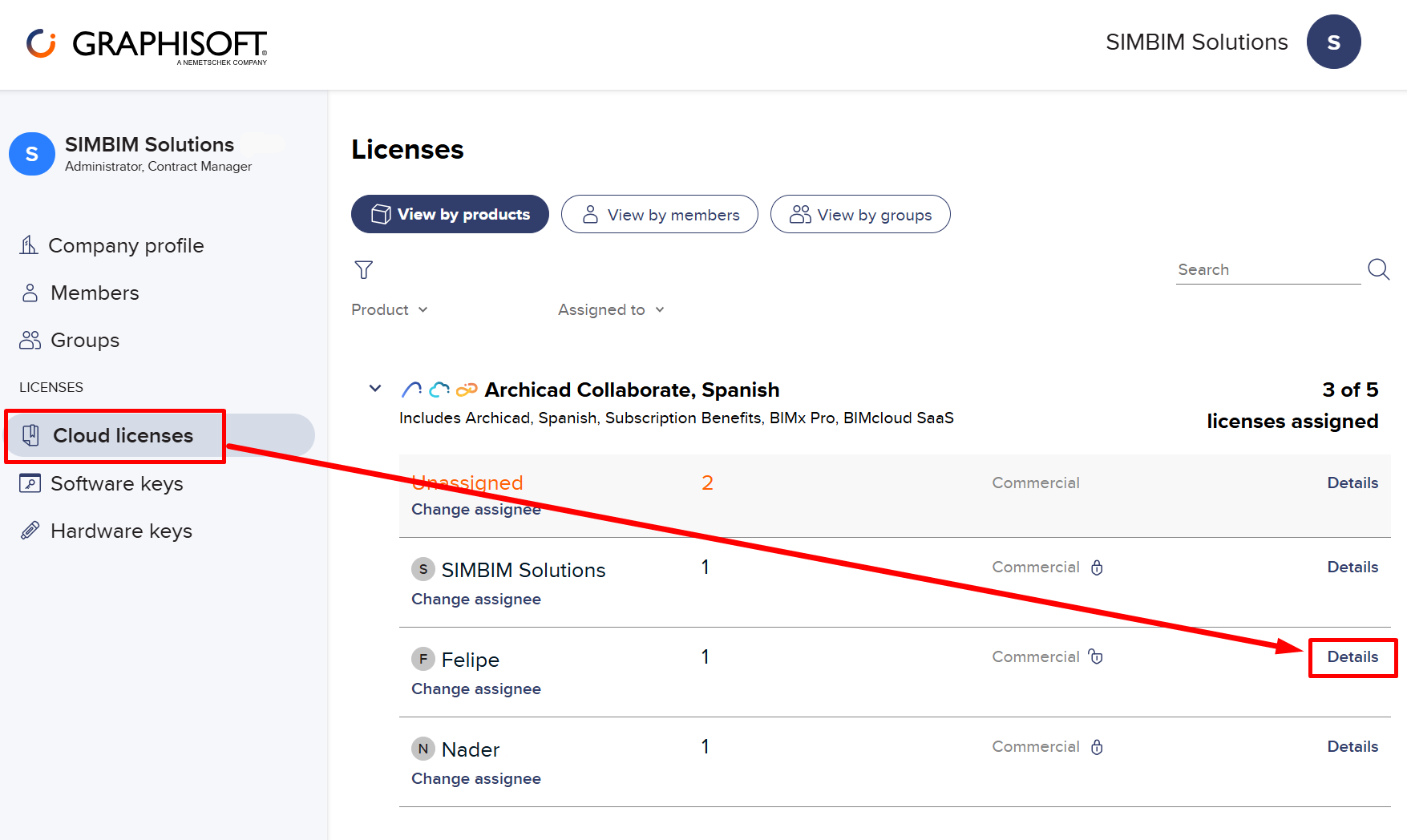
- Your Graphisoft account website will open.
- In the Licences section, select "details" for the licence you want to release.
- Click “Release from Device”.
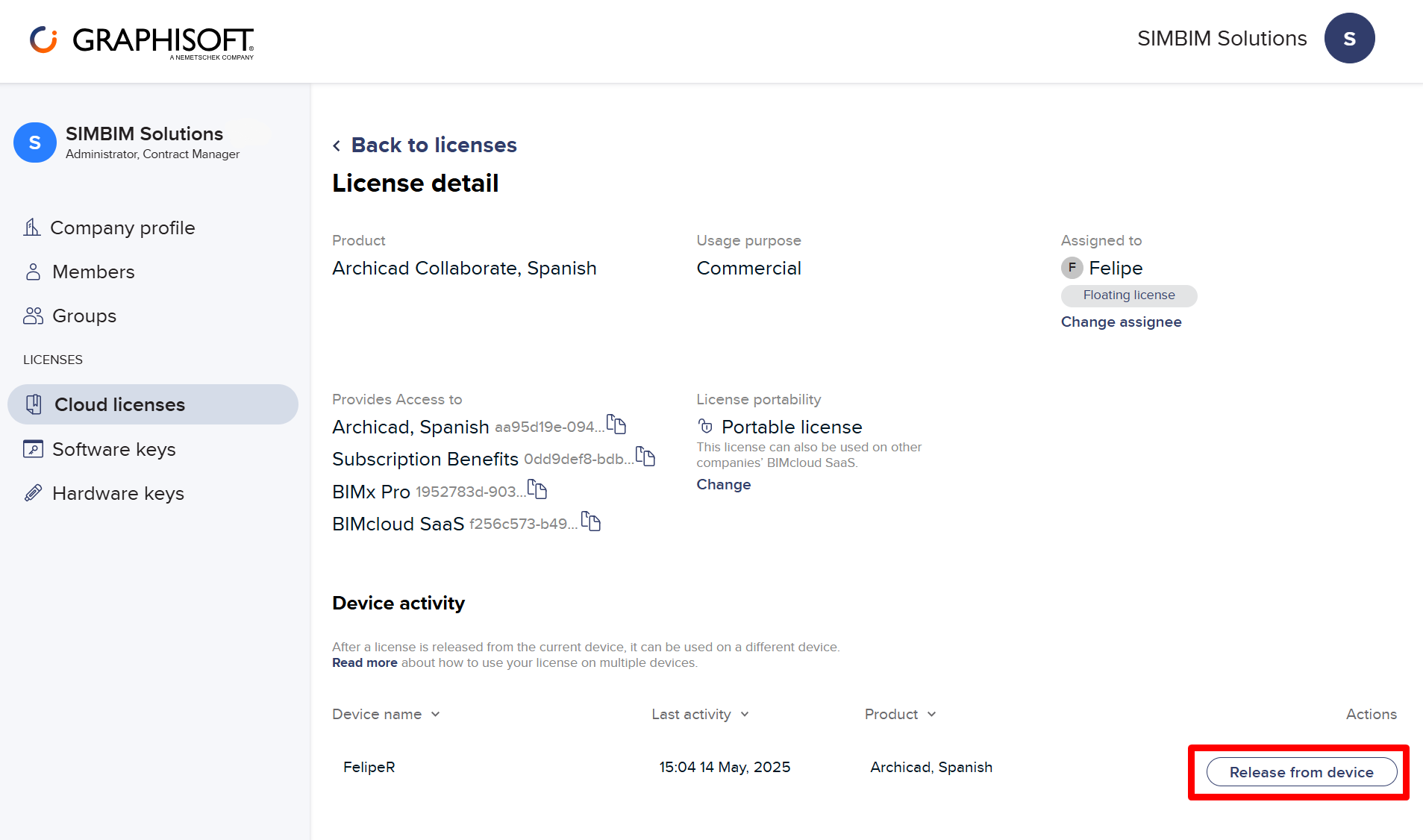
Once released, you will be able to use it immediately on the new device.