
Articles in this section
- How to Create an Archicad Template and What It Should Contain?
- How to Reallocate Bluebeam Subscriptions Between Accounts?
- How to Subscribe to Software with SIMBIM
- Archicad Files Don't Show the Correct Icon on Windows
- Why Can't I Assign a Licence If the User Shows Up as a Guest?
- How to Reset Your Bluebeam ID (BBID) Password?
- How to Transfer Markups to Another Document?
- How to Manage My Bluebeam Subscriptions?
- How to Change the Administrator of a Graphisoft ID Company?
- How to Use Bluebeam Revu on Mac Computers?
BIMx - Navigating in BIMx
Reading time: 5 min.
Welcome to the exciting experience of exploring your architectural projects through BIMx Hyper-Models. This guide will walk you step by step through the process of navigating in BIMx, letting you interact with your designs smoothly and efficiently.
Accessing the Model
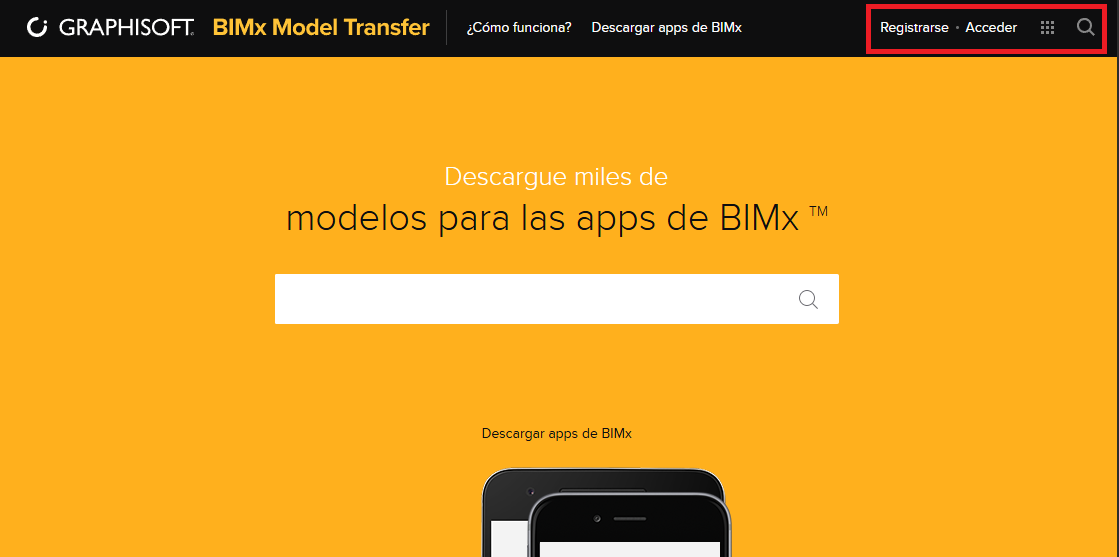
To begin your journey, open a browser on your computer, phone or tablet and visit bimx.graphisoft.com. You have two options for accessing your model:
-
Direct Link: If you have a link to the project page, simply use it to access it directly.
-
Sign In: Alternatively, sign in with your Graphisoft ID, find the model you want to explore and click it to open the project page.
Exploring the Project
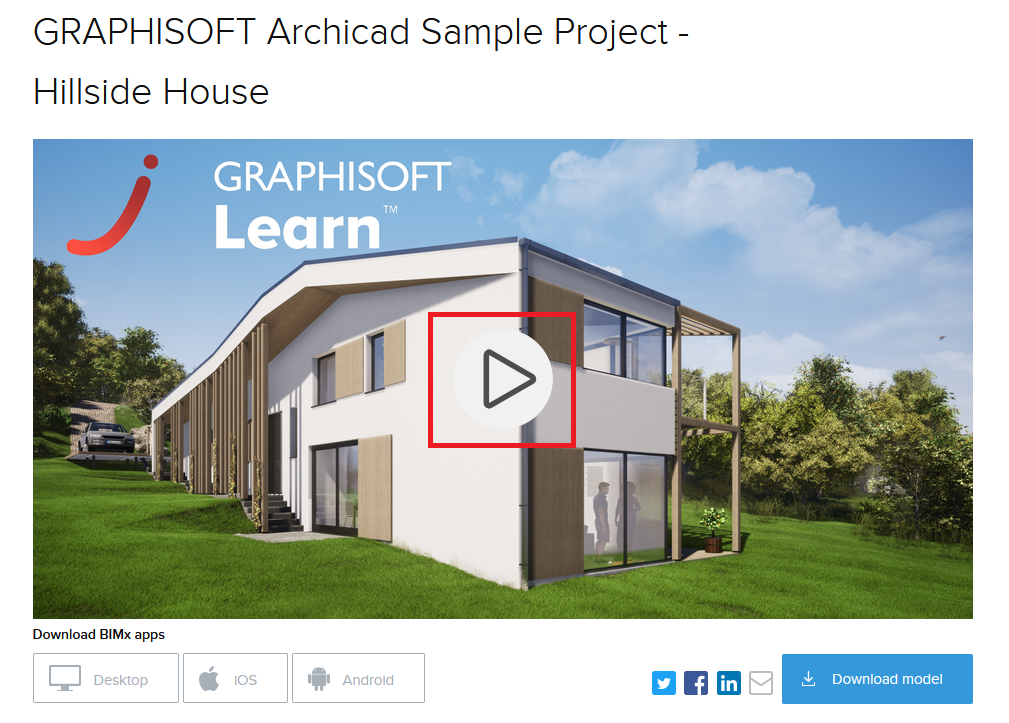
Once on the project page, there's no need to download the model or the app. Just click the “play” button in the middle of the model's image. The first time you open it may take a moment, but the wait is worth it (see photo).
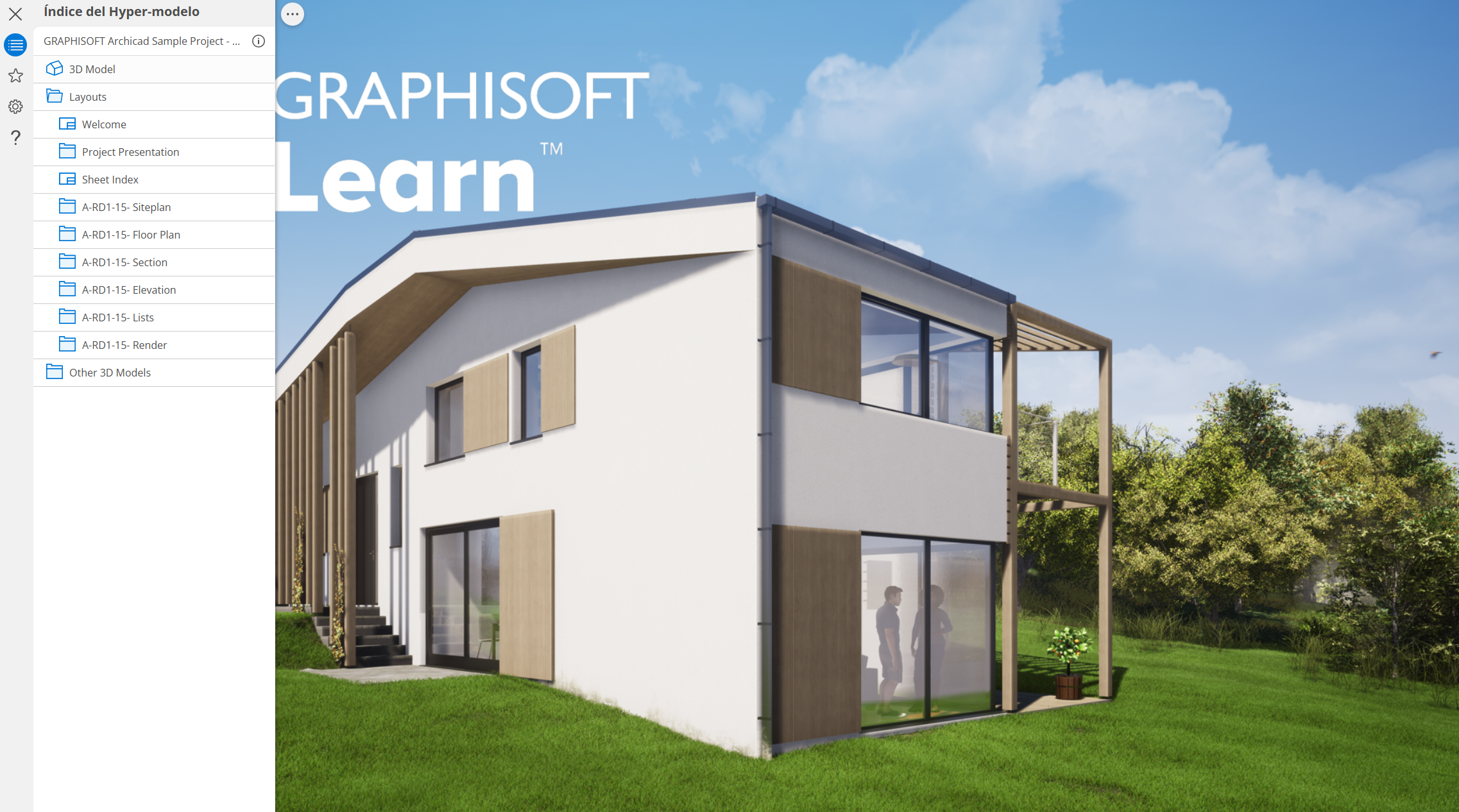
The model will open with a tree structure that includes 3D views, drawings and folders, exactly as set up in the Publisher Set in Archicad. To open one of these drawings, select it from the list and click its image at the end of the list.
Interacting with the Model
On Desktop Computers
-
Orbit: Hold down the left mouse button.
-
Pan: Use the right or middle mouse button.
-
Zoom In/Out: Use the mouse wheel.
On Touch Devices
-
Orbit: Use one finger.
-
Pan: Use two fingers.
-
Zoom In/Out: Pinch the screen.
Immersive Walk Mode
For an even more realistic experience, enter Immersive Walk Mode. This mode lets you navigate the project at human scale, as if you were physically present in the design.
-
Touch Screen Controls: Use the joystick controls.
-
Keyboard: Use the arrow keys.
The following article provides more detailed information about the BIMx Transfer Site:
BIMx Model Transfer Site – My SIMBIM Centre
Conclusion
There you have it! You've mastered navigating in BIMx and unlocked the full potential of your Hyper-Model. Now you can explore every corner of your architectural projects in an intuitive, detailed way. Enjoy the journey and keep creating masterpieces!