
Articles in this section
- How to Uniquely Identify Hotlink Module Zones in Archicad Schedules?
- How to Set the Origin of a 3D Texture in Archicad?
- Why Do Drawings Exported to PDF in Archicad Generate Very Large Files?
- How to Map a Custom Archicad Property to an IFC Property?
- How to Remove an Archicad Educational Licence from a Computer?
- How to Change an Archicad File Started in the International Version to the Spanish Version?
- How to Import a PDF to Use as a Reference in Archicad?
- How to Use Educational and Commercial Versions of Archicad on the Same Computer?
- How to Get the Archicad Connection with Twinmotion?
- How to Create a Structural Frame with the Create Truss Tool in Archicad?
How to Activate a BIMmTool Lite Licence with an Archicad Collaborate Subscription?
BIMmTool is an advanced add-on for Archicad, developed by BIMm Solutions GmbH, that makes it easier to work with point clouds in renovation projects and Scan2BIM processes. If you have an Archicad Collaborate subscription, you already have free access to BIMmTool Lite, a version that includes the essential functions for importing, organising and viewing point clouds.
Step-by-Step Guide to Activate Your BIMmTool Lite Licence
-
Download and Install BIMmTool
- Go to the official BIMmTool page on Graphisoft and download the version compatible with your Archicad installation.
- During installation, make sure to select the correct Add-Ons folder for your version of Archicad.
-
Register with BIMm Solutions
- Visit the BIMmTool shop, create an account and confirm your email address.
-
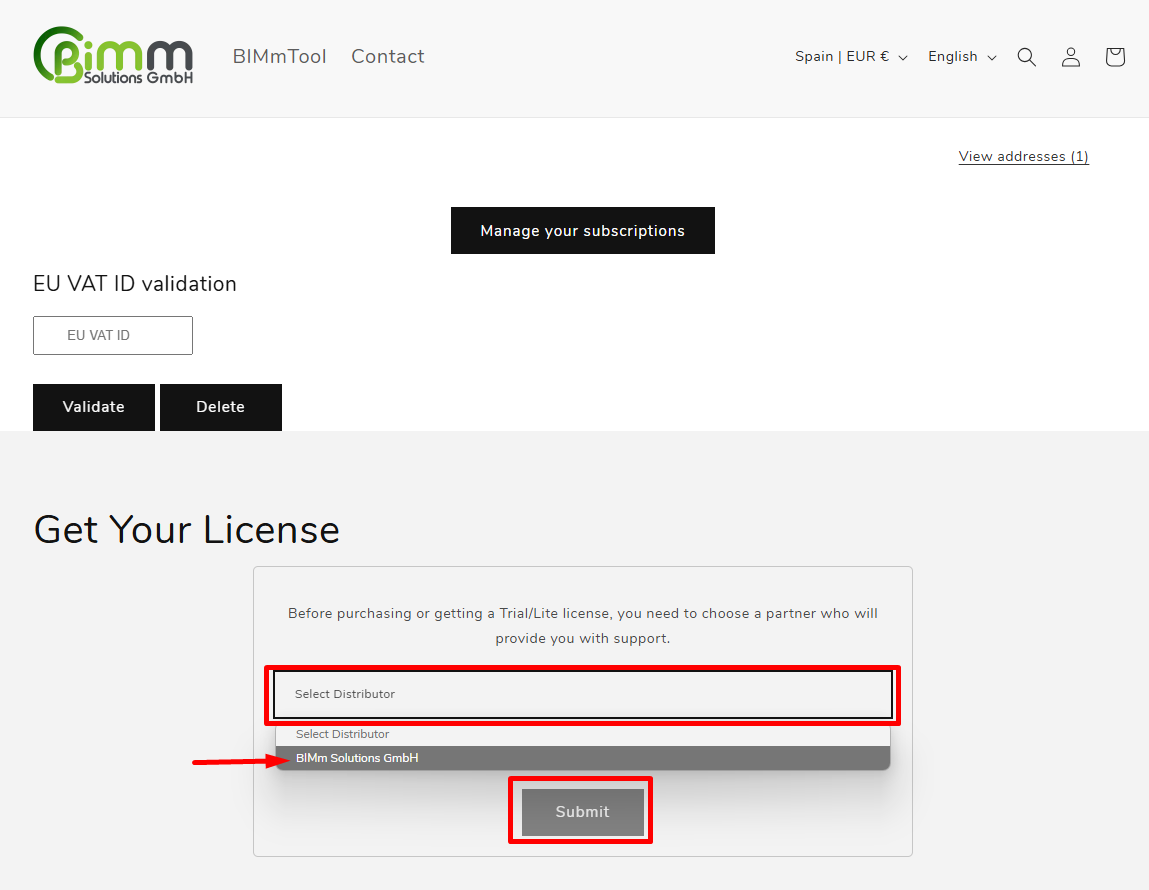
On your Account page, scroll down and select your distributor (choose BIMm Solutions GmbH).
-
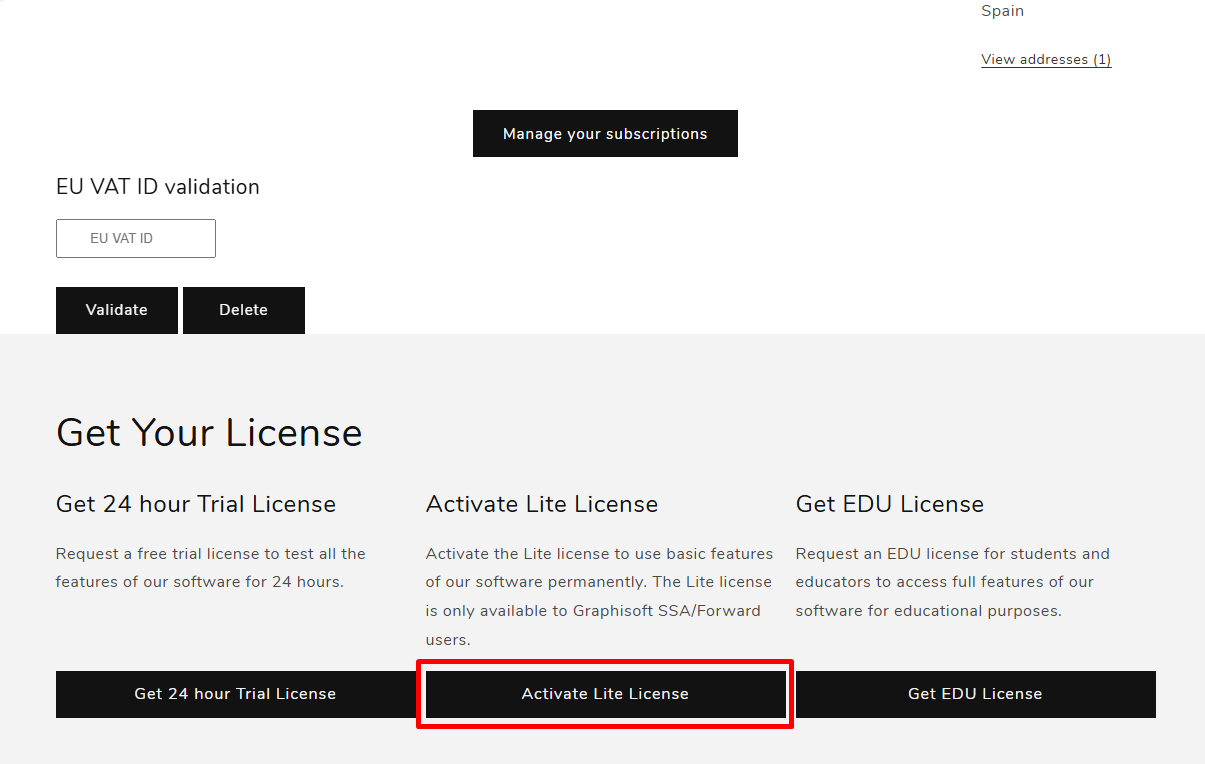
Select the Lite licence
-
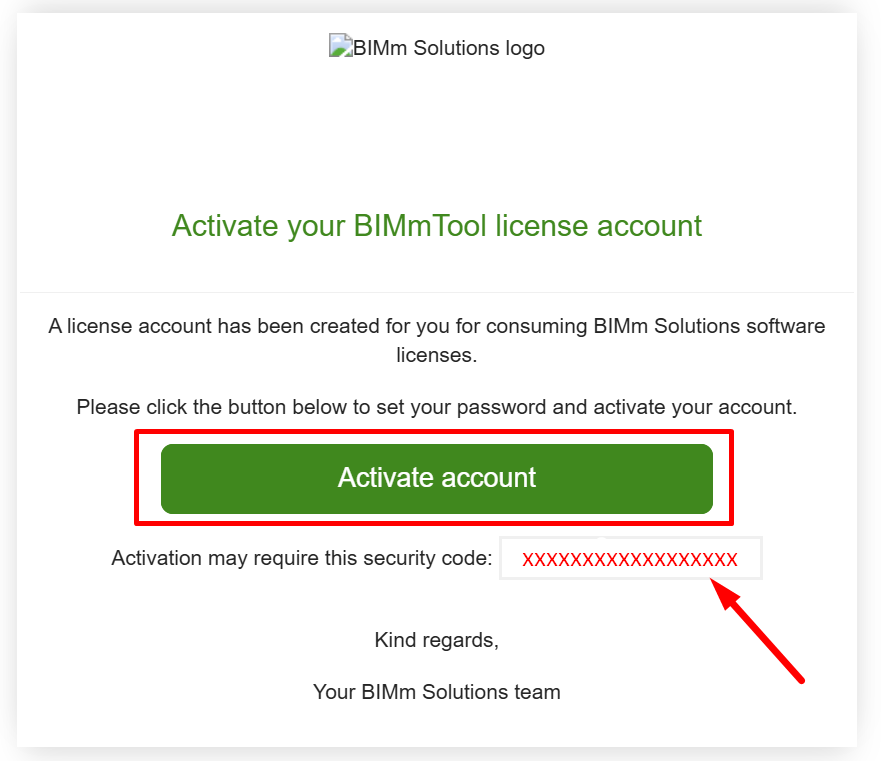
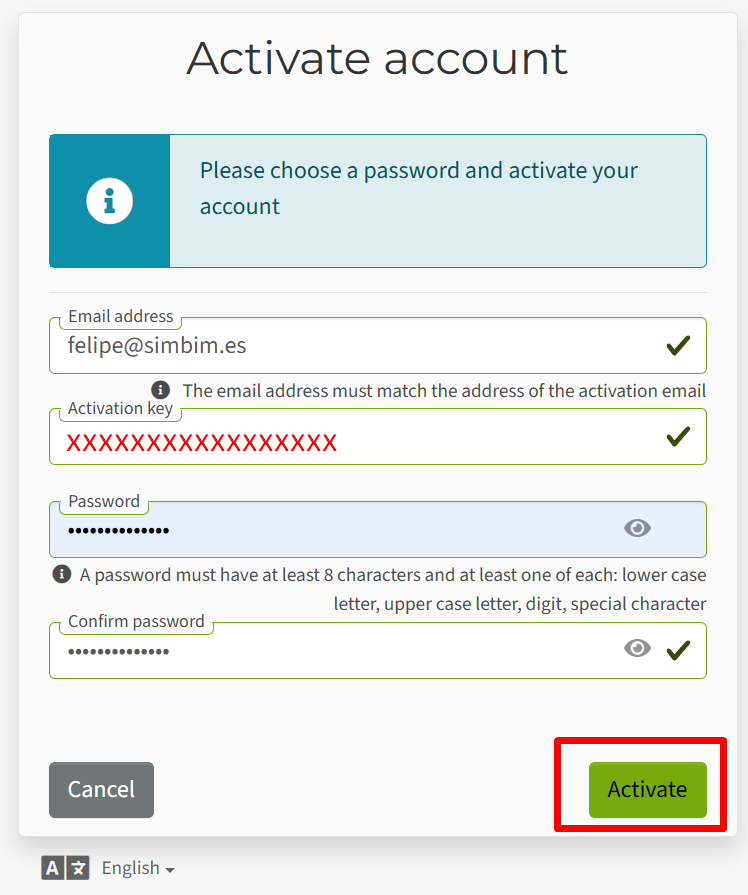
Activate your BIMm Solutions account using the link you'll automatically receive at the email address you provided.
-
Activate BIMmTool Lite
-
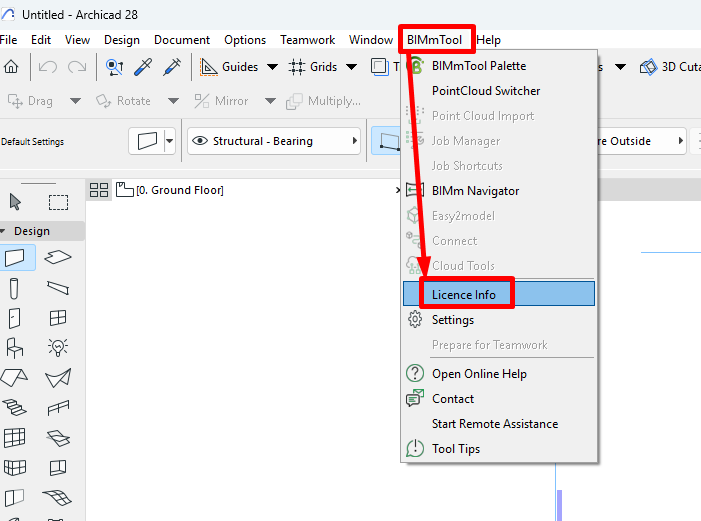
Open Archicad, go to the BIMmTool menu and select Licence Information
-
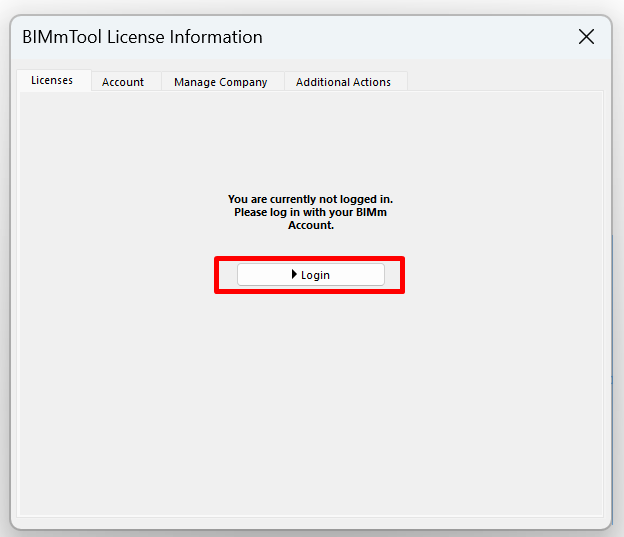
Log in with your BIMm Solutions account.
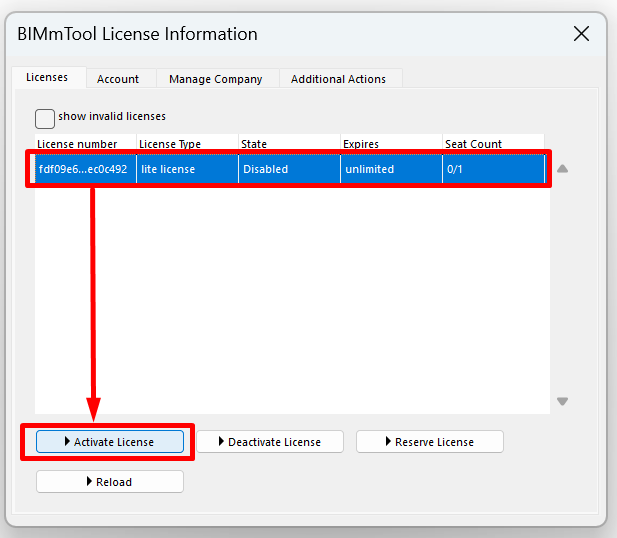
- On the Licences tab, select BIMmTool Lite and click Activate Licence.
-
Related articles
- How to Uniquely Identify Hotlink Module Zones in Archicad Schedules?
- How to Set the Origin of a 3D Texture in Archicad?
- Why Do Drawings Exported to PDF in Archicad Generate Very Large Files?
- How to Map a Custom Archicad Property to an IFC Property?
- How to Remove an Archicad Educational Licence from a Computer?