
Articles in this section
- How to Uniquely Identify Hotlink Module Zones in Archicad Schedules?
- How to Set the Origin of a 3D Texture in Archicad?
- Why Do Drawings Exported to PDF in Archicad Generate Very Large Files?
- How to Map a Custom Archicad Property to an IFC Property?
- How to Remove an Archicad Educational Licence from a Computer?
- How to Change an Archicad File Started in the International Version to the Spanish Version?
- How to Import a PDF to Use as a Reference in Archicad?
- How to Use Educational and Commercial Versions of Archicad on the Same Computer?
- How to Get the Archicad Connection with Twinmotion?
- How to Create a Structural Frame with the Create Truss Tool in Archicad?
How to Activate the Zone Stamp in Archicad?
Reading time: 3 min.
By the end of this article, the user will be able to activate the Zone Stamps shown on Zones created with the Zone tool in an Archicad project.
Prerequisites
- Archicad installed and activated
- An Archicad project to which Zones will be added using the Zone tool in Archicad.
Background
The Zone Stamp in Archicad is a parametric GDL object that shows relevant information about a zone —such as name, number, area or category— directly on the drawings. These stamps are managed as GDL objects associated with the Zone tool and are filtered according to the assigned Zone Category.
From Archicad 25 onwards, these stamps are hidden by default. To display them, they need to be activated manually. Zone Stamps reside in the Archicad Library and inherit their parameters from the zone's own settings.
Step-by-Step Instructions
-
Access Model View Options:
Go to: Document > Model View > Model View Options.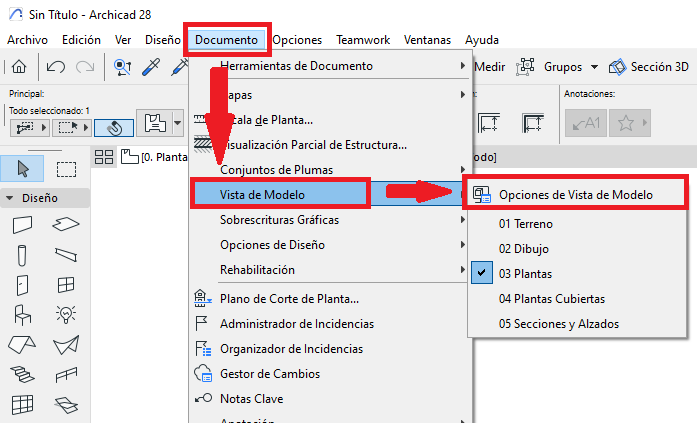
-
Turn on the Zone Stamp Display:
In the Model View Options dialogue box, under Construction Elements Options, Zone, turn on the Show Zone Stamps option (see picture).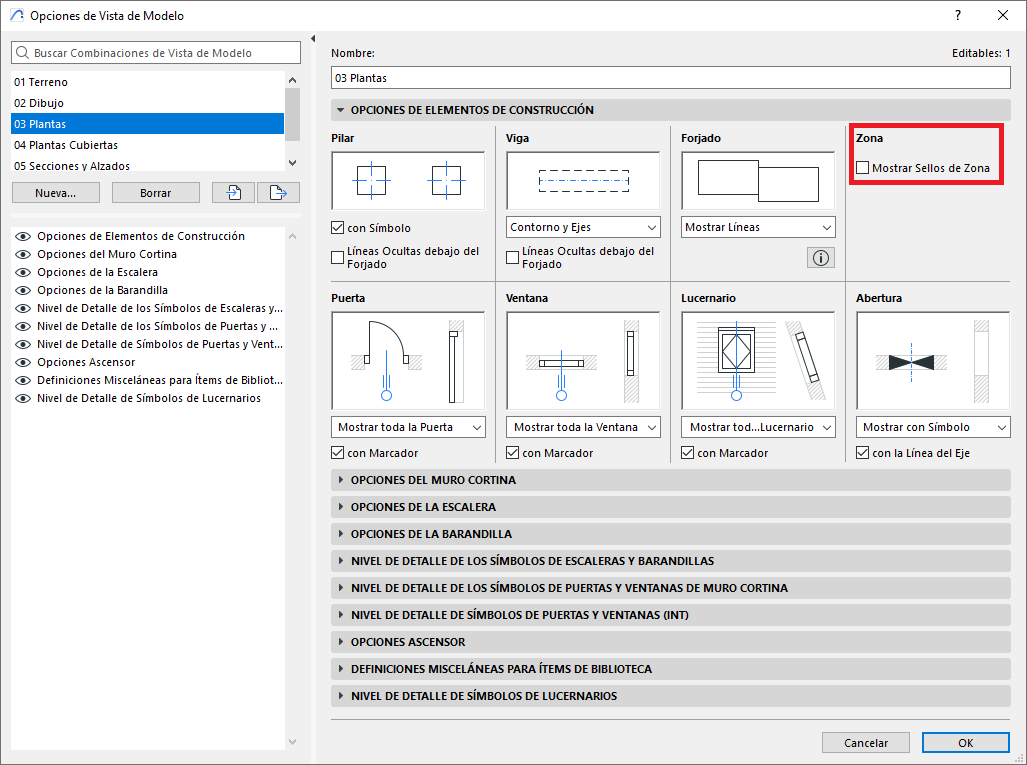
Consultant's Tip
- If you turn on the Show Zone Stamps option in the Model View Options window, you will very likely see the Zone Stamps and the Zone Labels duplicated, as shown in the following picture.
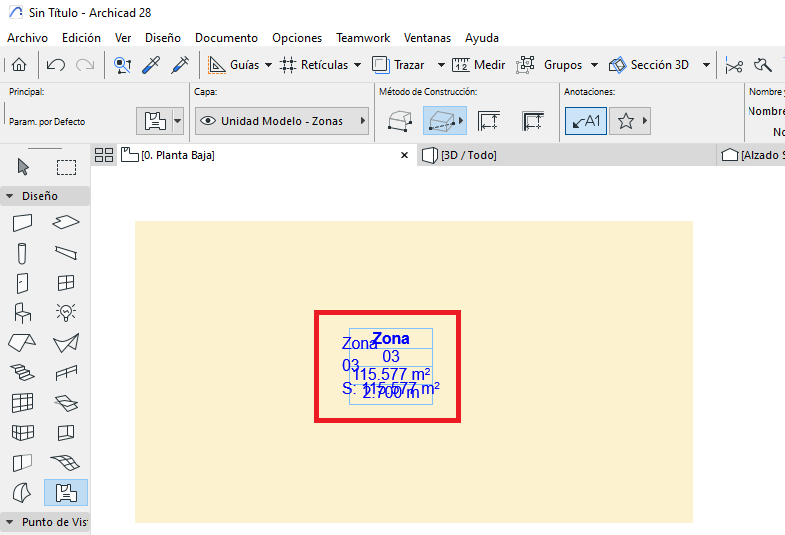
To avoid this, click on the Annotations: Place Label option to turn it off (see picture).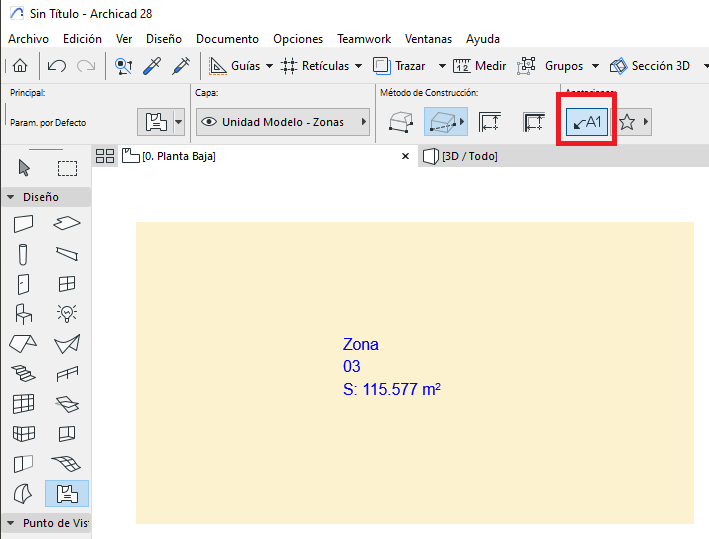
Related articles
- How to Uniquely Identify Hotlink Module Zones in Archicad Schedules?
- How to Set the Origin of a 3D Texture in Archicad?
- Why Do Drawings Exported to PDF in Archicad Generate Very Large Files?
- How to Map a Custom Archicad Property to an IFC Property?
- How to Remove an Archicad Educational Licence from a Computer?