
Articles in this section
- How to Uniquely Identify Hotlink Module Zones in Archicad Schedules?
- How to Set the Origin of a 3D Texture in Archicad?
- Why Do Drawings Exported to PDF in Archicad Generate Very Large Files?
- How to Map a Custom Archicad Property to an IFC Property?
- How to Remove an Archicad Educational Licence from a Computer?
- How to Change an Archicad File Started in the International Version to the Spanish Version?
- How to Import a PDF to Use as a Reference in Archicad?
- How to Use Educational and Commercial Versions of Archicad on the Same Computer?
- How to Get the Archicad Connection with Twinmotion?
- How to Create a Structural Frame with the Create Truss Tool in Archicad?
How to Add a .GSM Object to an Archicad Project?
If you have downloaded an object in .gsm format, you can bring it into your Archicad project in two ways: by dragging it directly into the programme, or by loading it via the Library Manager. Once imported, you can place it using the Object tool.
Quick method: drag and drop
- Locate the downloaded
.gsmfile on your computer. - Drag it directly into any open Archicad window, in either 2D or 3D view.
- Archicad will add the object to the project.
Method via the Library Manager
- Go to File > Libraries and Objects > Library Manager.
- Select the Embedded Library tab.
-
Click Add new file, or drag the
.gsmfile directly into the dialogue box.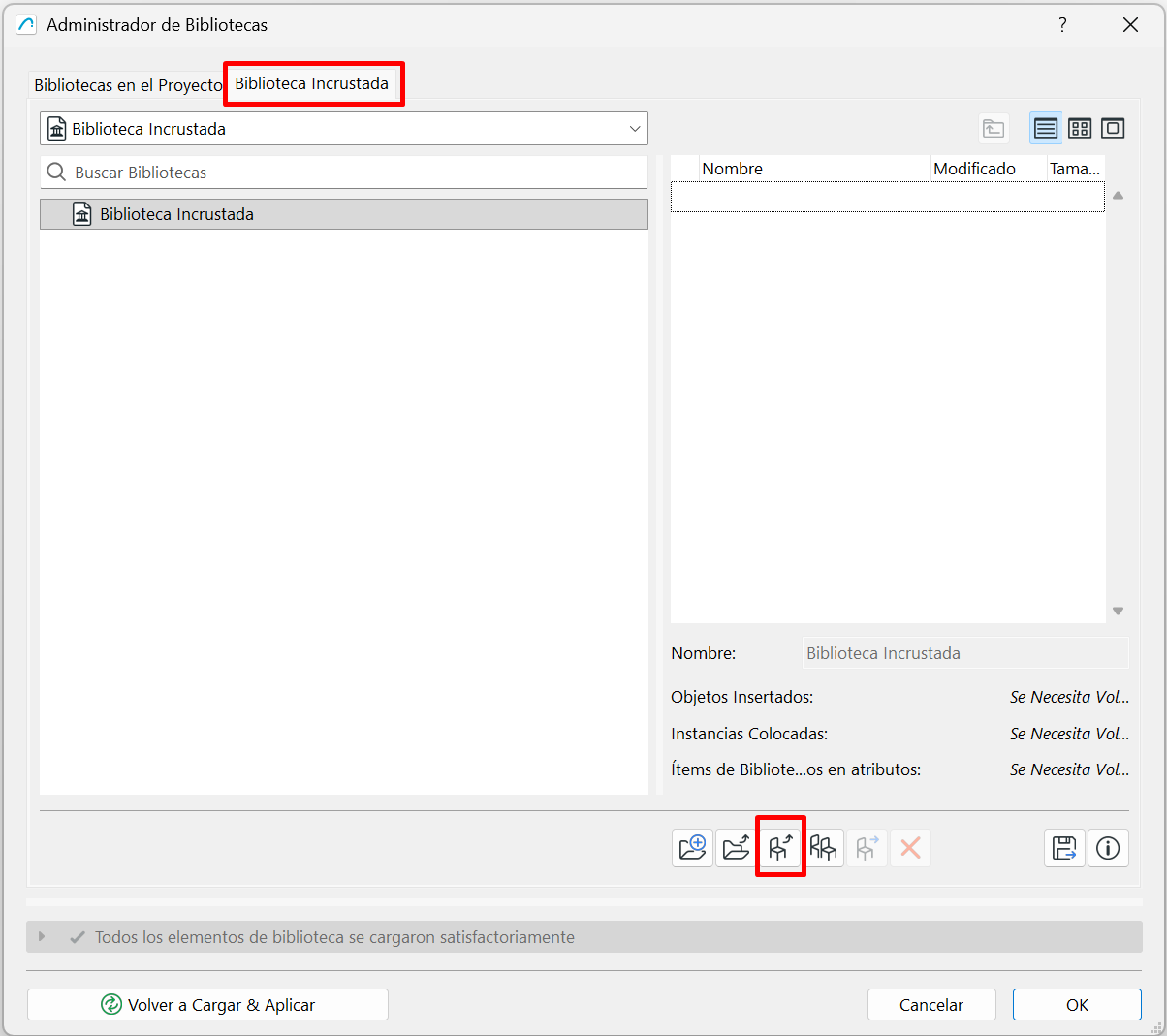
- Click OK to reload the libraries.
How to place the object in the project
- Open the Object tool (the chair icon).
- In the selection window, go to the Embedded Library tab or location.
- Find the object you have just imported.
- Select it and place it in the project.
Note: If you can't find the object when opening the Object tool, check that the .gsm file was added correctly to the Embedded Library and that the libraries have been reloaded.
Related articles
- How to Uniquely Identify Hotlink Module Zones in Archicad Schedules?
- How to Set the Origin of a 3D Texture in Archicad?
- Why Do Drawings Exported to PDF in Archicad Generate Very Large Files?
- How to Map a Custom Archicad Property to an IFC Property?
- How to Remove an Archicad Educational Licence from a Computer?