
Articles in this section
- How to Uniquely Identify Hotlink Module Zones in Archicad Schedules?
- How to Set the Origin of a 3D Texture in Archicad?
- Why Do Drawings Exported to PDF in Archicad Generate Very Large Files?
- How to Map a Custom Archicad Property to an IFC Property?
- How to Remove an Archicad Educational Licence from a Computer?
- How to Change an Archicad File Started in the International Version to the Spanish Version?
- How to Import a PDF to Use as a Reference in Archicad?
- How to Use Educational and Commercial Versions of Archicad on the Same Computer?
- How to Get the Archicad Connection with Twinmotion?
- How to Create a Structural Frame with the Create Truss Tool in Archicad?
How to Add Object Parameters to a Schedule in Archicad?
In Archicad, you can include specific parameters of a library object within a Schedule so you can list, quantify or display them correctly.
This procedure lets you add parameters such as Width, Depth or Height directly to the schedule's fields.
Step 1 - Open the Schedule Settings
- Go to Documentation > Schedules > Schedule Settings.
- Alternatively, from the Project Map, locate the Schedules folder, right-click the schedule you want and select Schedule Settings.
Step 2 - Add new fields
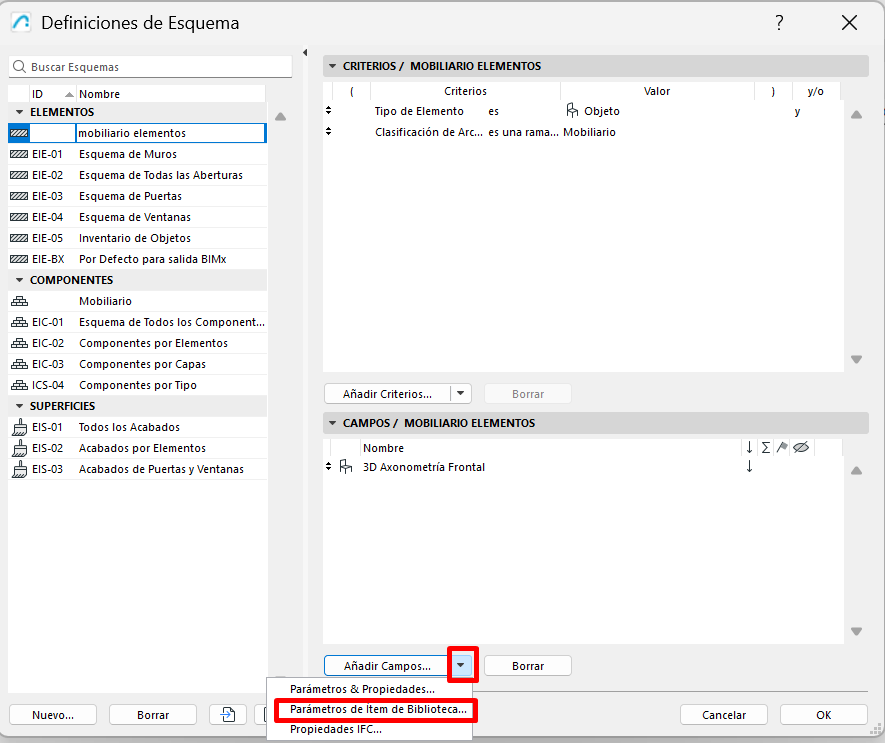
- In the schedule settings window, click the “Add Fields” drop-down menu.
-
Select the “Library Part Parameters” option.
Step 3 - Select the object
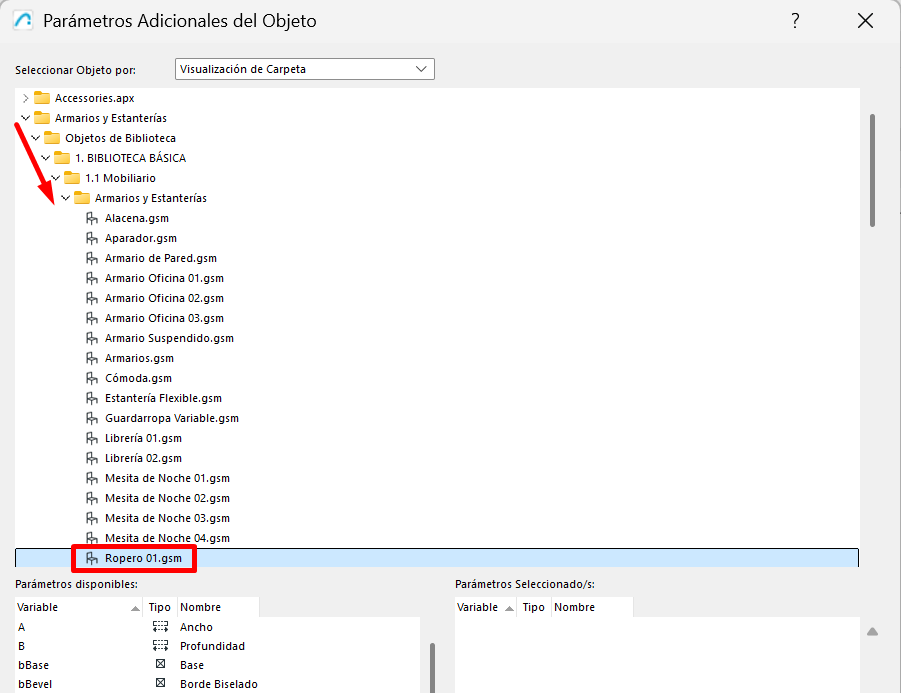
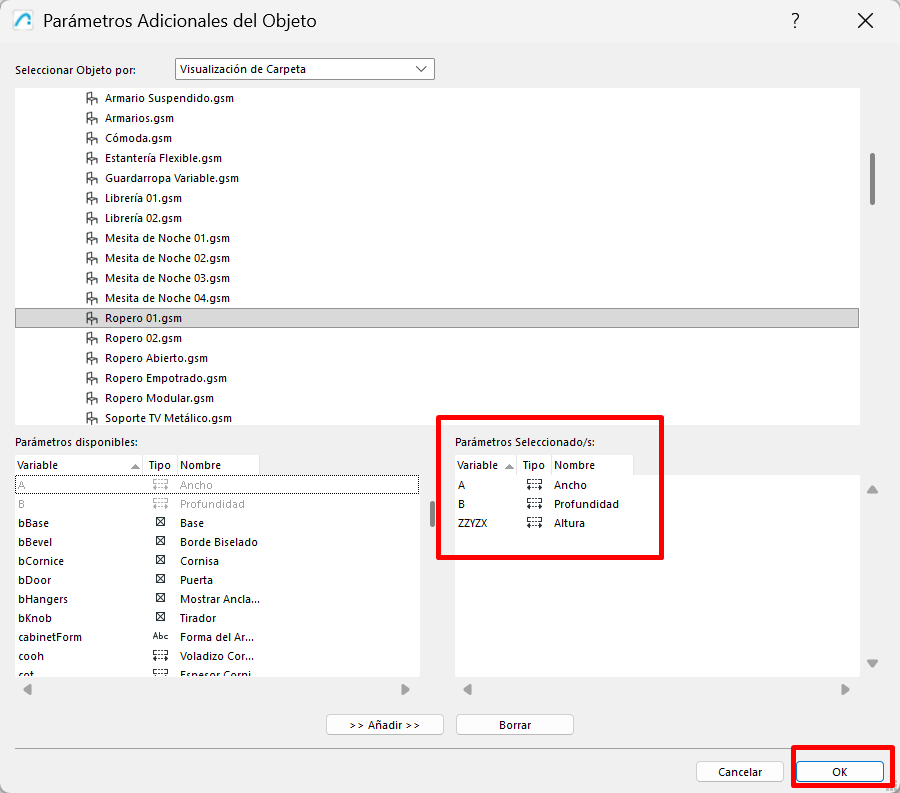
- A window will open where you can choose the library object whose parameters you want to extract.
-
Select the relevant object.
Step 4 - Find and add the parameters
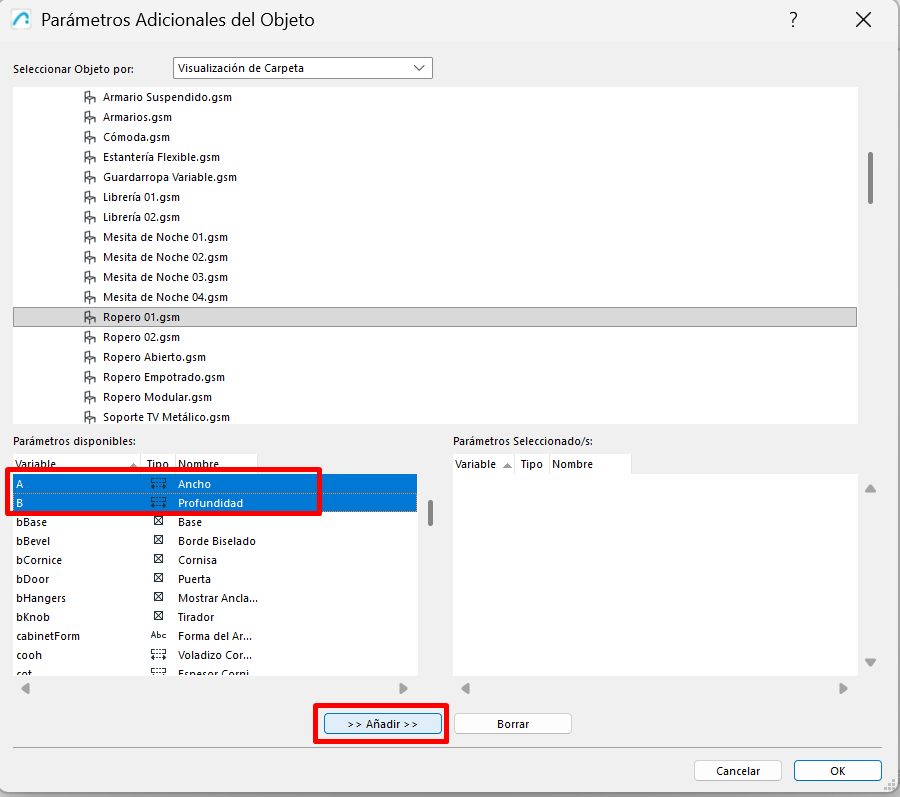
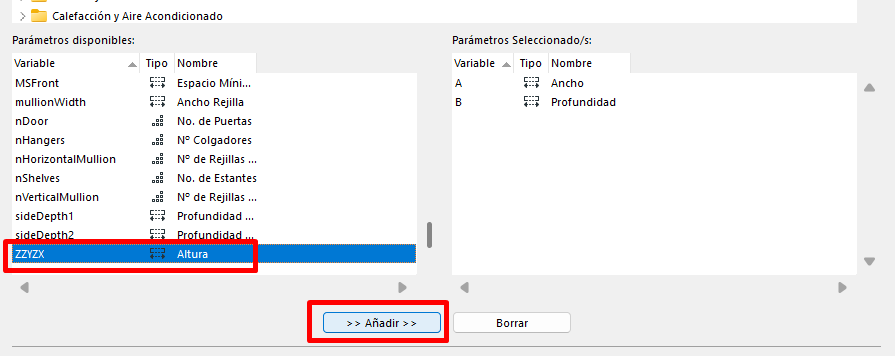
- At the bottom of the window, locate the parameters you want to add (for example: Width, Depth and Height).
-
Click “Add” or drag them into the Selected Parameters window (right-hand section).
-
Confirm by clicking OK.
Result
Once you apply this configuration:
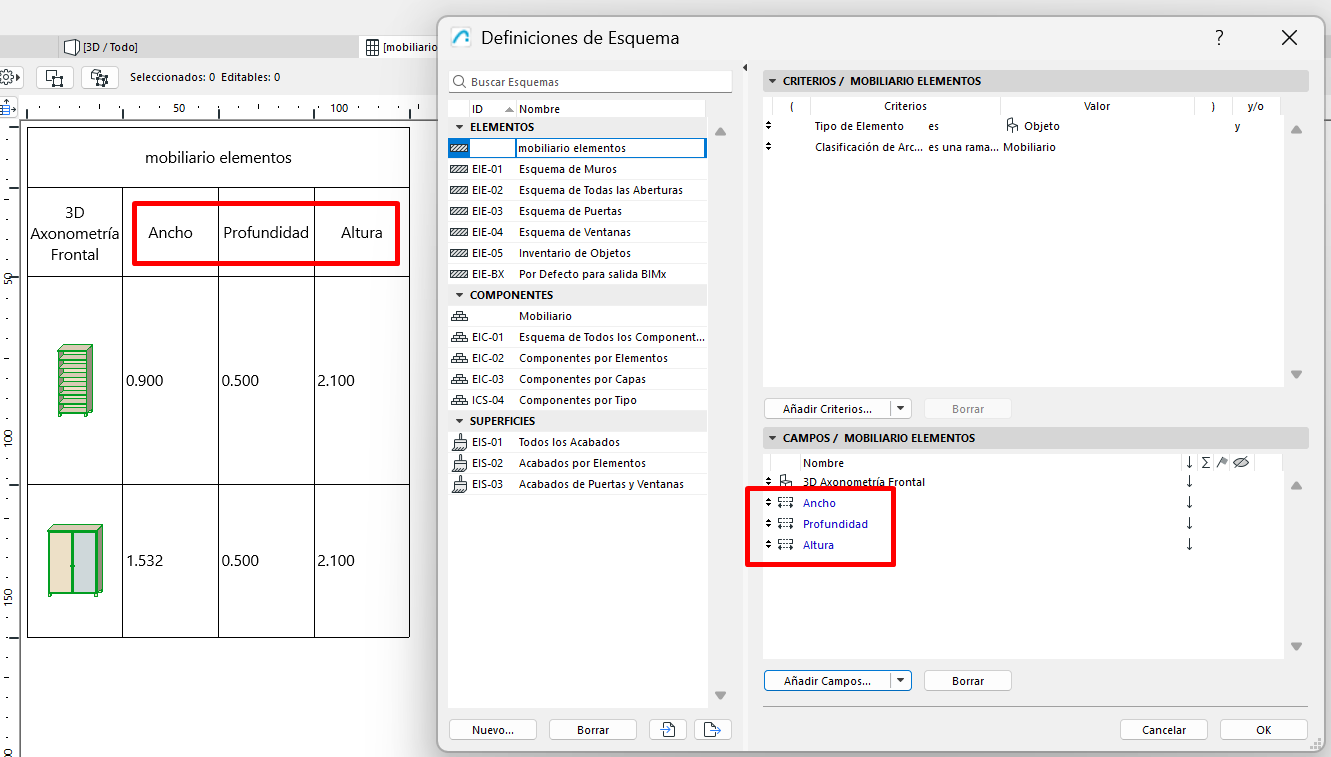
- The selected parameters are added as fields on the schedule.
- The schedule will show the object's specific values.
-
You'll be able to correctly quantify and export the object's information.
Related articles
- How to Uniquely Identify Hotlink Module Zones in Archicad Schedules?
- How to Set the Origin of a 3D Texture in Archicad?
- Why Do Drawings Exported to PDF in Archicad Generate Very Large Files?
- How to Map a Custom Archicad Property to an IFC Property?
- How to Remove an Archicad Educational Licence from a Computer?