
Articles in this section
- How to Uniquely Identify Hotlink Module Zones in Archicad Schedules?
- How to Set the Origin of a 3D Texture in Archicad?
- Why Do Drawings Exported to PDF in Archicad Generate Very Large Files?
- How to Map a Custom Archicad Property to an IFC Property?
- How to Remove an Archicad Educational Licence from a Computer?
- How to Change an Archicad File Started in the International Version to the Spanish Version?
- How to Import a PDF to Use as a Reference in Archicad?
- How to Use Educational and Commercial Versions of Archicad on the Same Computer?
- How to Get the Archicad Connection with Twinmotion?
- How to Create a Structural Frame with the Create Truss Tool in Archicad?
How to Add or Update Libraries in Archicad?
Libraries in Archicad contain the essential elements for BIM modelling: objects, materials, textures and parametric components. Keeping them organised and up to date is key to ensuring an efficient workflow, smooth collaboration and accurate models.
How to add a library
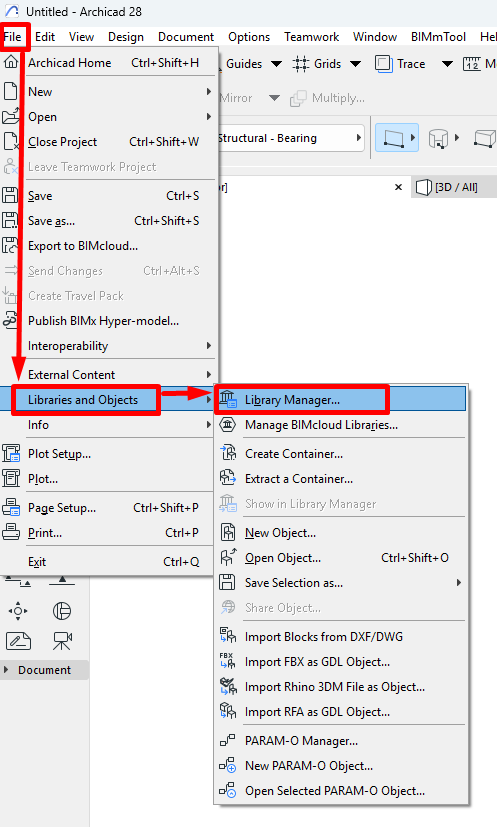
Open the Library Manager
-
Go to File > Libraries and Objects > Library Manager.
Add a new library
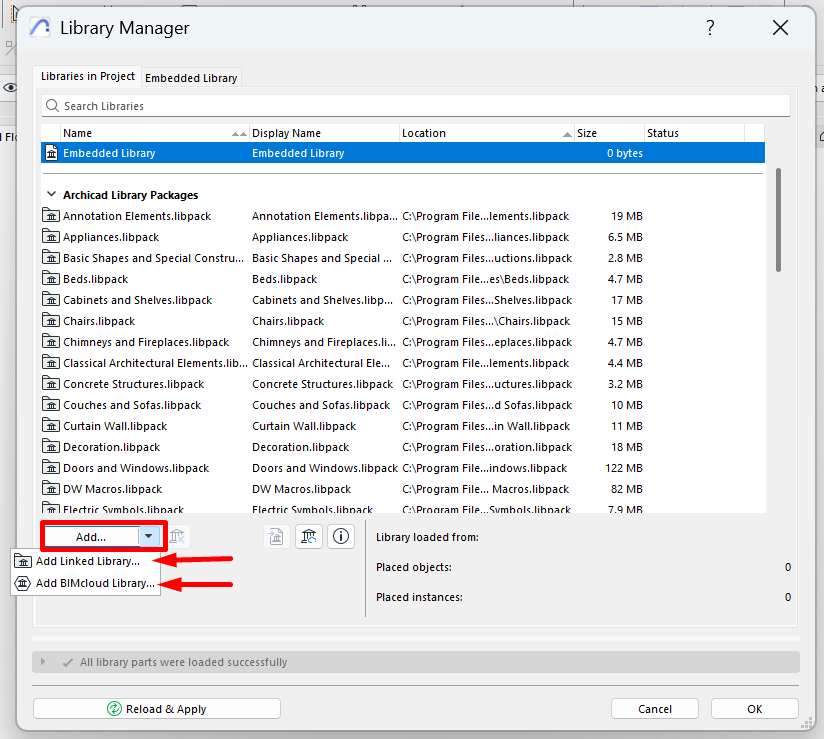
- Click the "Add" button
-
Select the library's source. You can choose between a local folder or a library hosted on BIMcloud or BIMcloud Basic.
Select the library folder or file
- Select one or more files in .LIBPACK or .LCF format.
- In default installations, Archicad's libraries are located at:
-
Windows:
C:\Program Files\GRAPHISOFT\Archicad (version)\ -
macOS:
/Applications/GRAPHISOFT/Archicad (version)/
-
Windows:
Note: As of Archicad 28, the Global Library is introduced, organising libraries into independent thematic modules in .LIBPACK format, replacing the monolithic approach of earlier versions.
Reload libraries
-
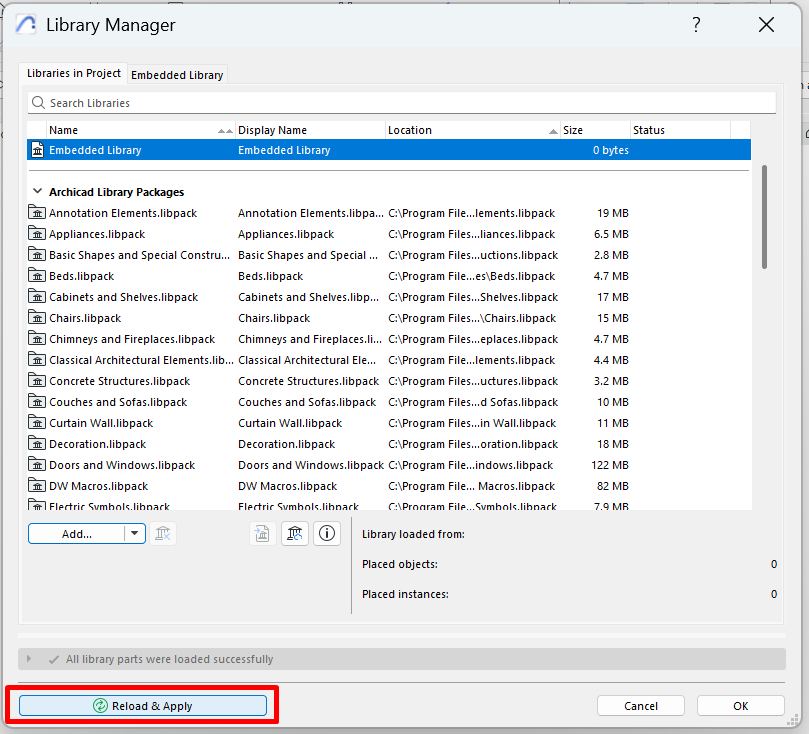
Click Reload and Apply to activate the new library in the project.
Related articles
- How to Uniquely Identify Hotlink Module Zones in Archicad Schedules?
- How to Set the Origin of a 3D Texture in Archicad?
- Why Do Drawings Exported to PDF in Archicad Generate Very Large Files?
- How to Map a Custom Archicad Property to an IFC Property?
- How to Remove an Archicad Educational Licence from a Computer?