
Articles in this section
- How to Uniquely Identify Hotlink Module Zones in Archicad Schedules?
- How to Set the Origin of a 3D Texture in Archicad?
- Why Do Drawings Exported to PDF in Archicad Generate Very Large Files?
- How to Map a Custom Archicad Property to an IFC Property?
- How to Remove an Archicad Educational Licence from a Computer?
- How to Change an Archicad File Started in the International Version to the Spanish Version?
- How to Import a PDF to Use as a Reference in Archicad?
- How to Use Educational and Commercial Versions of Archicad on the Same Computer?
- How to Get the Archicad Connection with Twinmotion?
- How to Create a Structural Frame with the Create Truss Tool in Archicad?
How to Avoid Transferring Object Rotation in Archicad?
When copying or injecting parameters in Archicad, the rotation angle of objects (furniture, equipment, etc.) can be accidentally transferred. This causes misalignments. To avoid this, configure the Element Transfer Settings to exclude Rotation during the transfer.
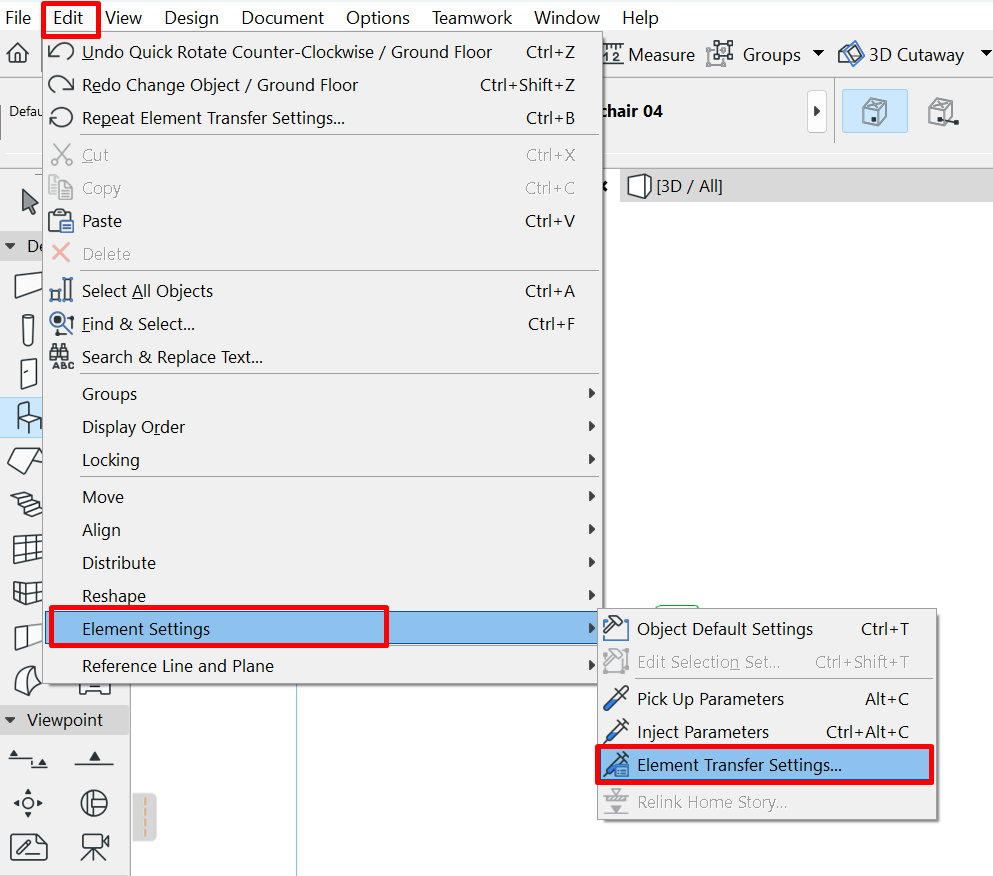
Step 1 — Open Element Transfer Settings
-
In the top menu, go to Edit → Element Settings → Element Transfer Settings….
Step 2 — Exclude Object Rotation
-
In the Element Transfer Settings panel, find and expand Object. Uncheck Rotation to prevent that parameter from being transferred. Confirm with OK.
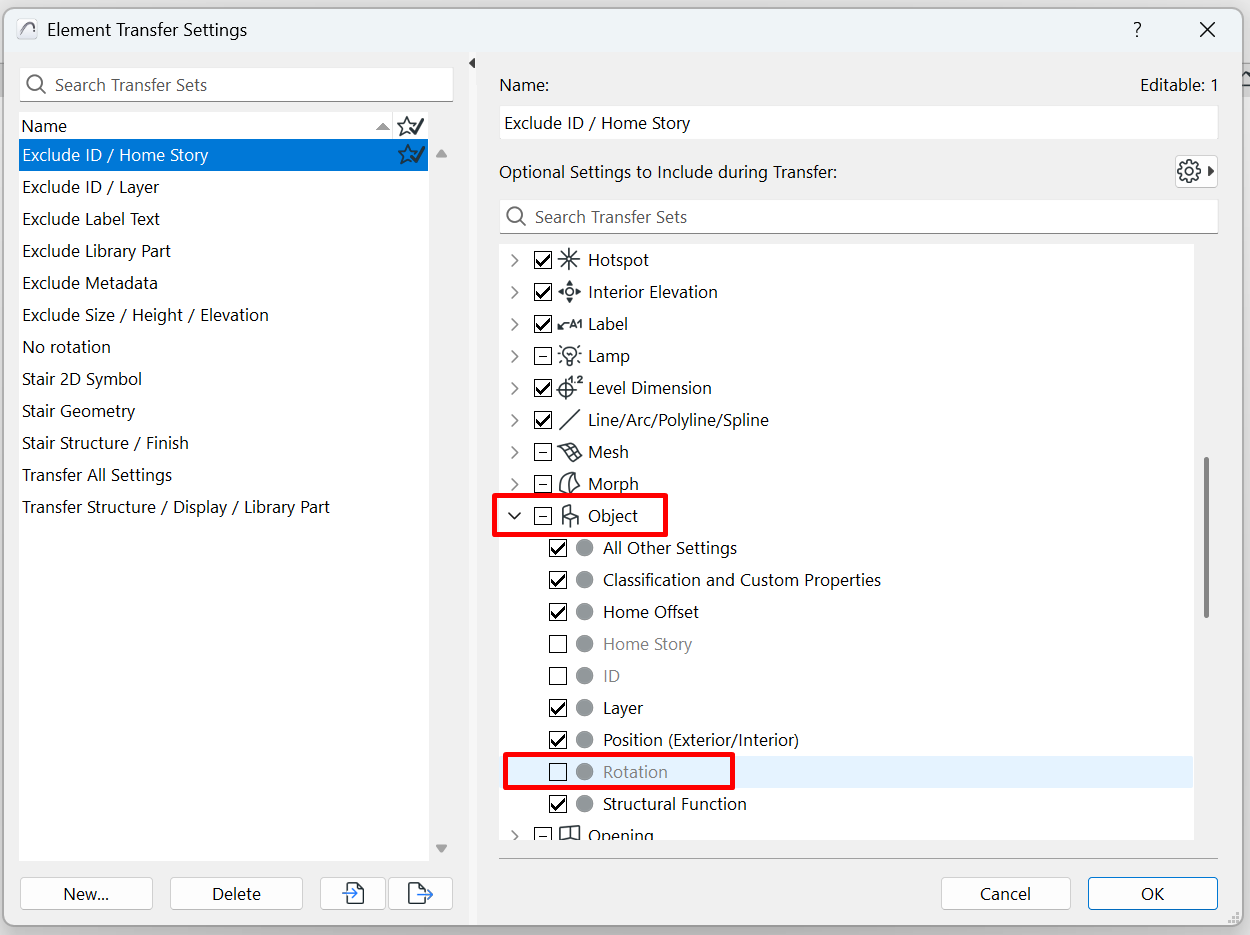
From now on, when using Pick Up/Inject Parameters or copying/pasting between projects, each object's original orientation will be preserved.
Best practices
- Save a custom set: use New… and give it a clear name, for example No Rotation Transfer, so the whole team recognises it.
- Combine exclusions when necessary: if your template requires it, also exclude Home Story or Layer to avoid attribute conflicts.
- Test with a sample element: before working at scale, validate the transfer on a copy of the project.
Expected result
By disabling Rotation on Object, you will preserve each object's orientation while still transferring other essential parameters in a controlled way (classification, properties, materials, etc.).
Related articles
- How to Uniquely Identify Hotlink Module Zones in Archicad Schedules?
- How to Set the Origin of a 3D Texture in Archicad?
- Why Do Drawings Exported to PDF in Archicad Generate Very Large Files?
- How to Map a Custom Archicad Property to an IFC Property?
- How to Remove an Archicad Educational Licence from a Computer?