
Articles in this section
- How to Uniquely Identify Hotlink Module Zones in Archicad Schedules?
- How to Set the Origin of a 3D Texture in Archicad?
- Why Do Drawings Exported to PDF in Archicad Generate Very Large Files?
- How to Map a Custom Archicad Property to an IFC Property?
- How to Remove an Archicad Educational Licence from a Computer?
- How to Change an Archicad File Started in the International Version to the Spanish Version?
- How to Import a PDF to Use as a Reference in Archicad?
- How to Use Educational and Commercial Versions of Archicad on the Same Computer?
- How to Get the Archicad Connection with Twinmotion?
- How to Create a Structural Frame with the Create Truss Tool in Archicad?
How to Detect Degenerated Objects in an Archicad Model to Fix Them?
Reading time: 5 min.
In day-to-day work with Archicad, it is common for models to grow in complexity and size. However, alongside this growth, errors can also appear that, if not caught in time, compromise the project's stability. One of the most common — and often ignored — are degenerated objects.
Degenerated objects are library objects that can present errors, which in most cases may have been caused by entering incorrect values in the object's parameters, or, less often, are objects that depend on other missing files that have not been loaded into the project correctly.
Although Archicad is a robust tool that can keep working even with errors in the model, this does not mean we should ignore them. Degenerated objects can slow down the computer's performance, make the file larger than necessary and, in the worst case, cause unexpected crashes that can lead to the loss of unsaved work.
That's why it is essential for users to get into the habit of periodically checking the Report in the project's Project Map, not only to maintain the model's health, but also because it can prevent bigger problems in the long run.
How to detect degenerated objects in the Archicad model?
The easiest way to detect degenerated objects would be:
- Open the project in Archicad.
- Open the project's Navigator palette, Window > Palettes > Navigator.
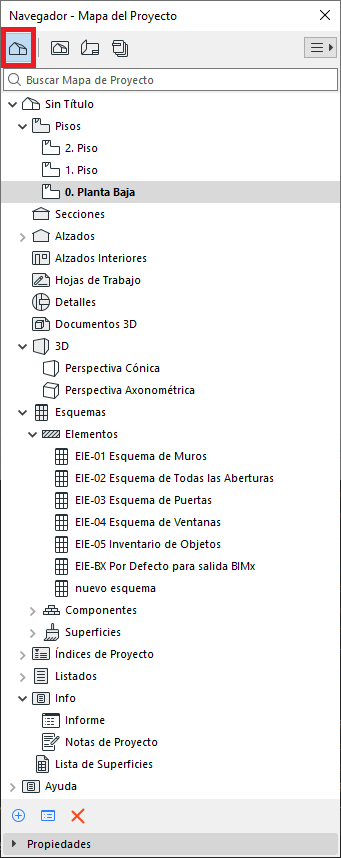
- Click on Project Map
- Click on Report
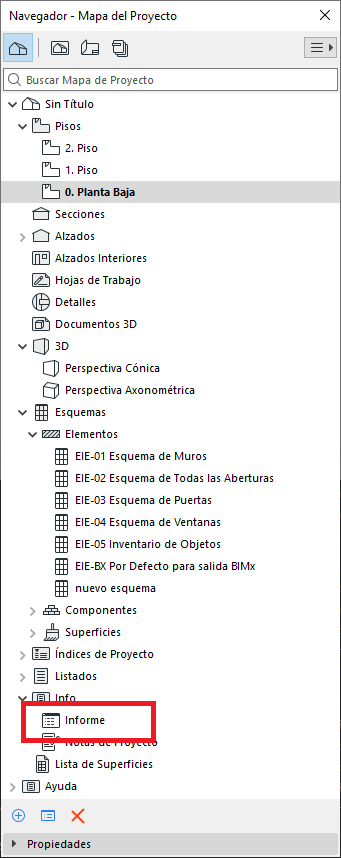
- This will open the Report window, where you should look for the text "Polygon is degenerated".
Steps to identify the degenerated objects
When Archicad detects a degenerated object, it usually shows it in the following form
Polygon is degenerated. (<element ID> | XXXXXXXX-XXXX-XXXX-XXXX-XXXXXXXCXXXX)
where "XXXXXXXX-XXXX-XXXX-XXXX-XXXXXXXCXXXX" is an alphanumeric identifier for the object — a unique, non-repeating code for that object.
Steps to identify the object:
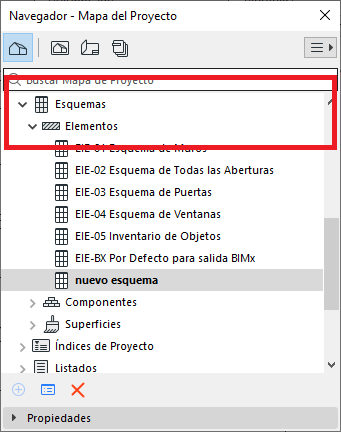
- In the project's Navigator, go to Schedules > Element.
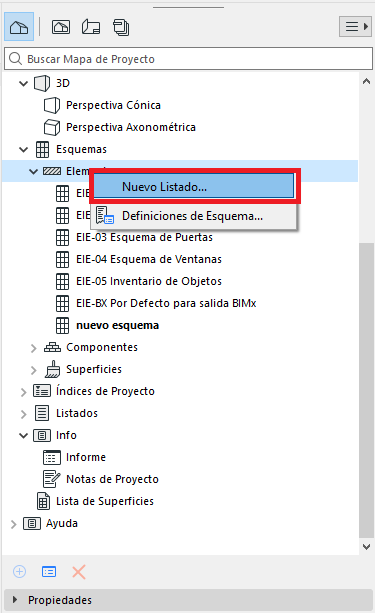
- Right-click on Element, and in the dialog box click on New Schedule....
- In the New Schedule Scheme dialog box, in the fields for:
ID: We'll create an ID for the new scheme (optional)
Name: We'll give it a name.
Scheme type: We'll select Element (important)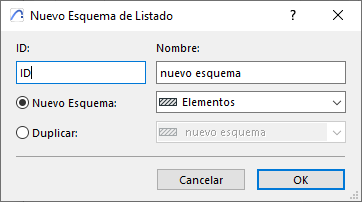
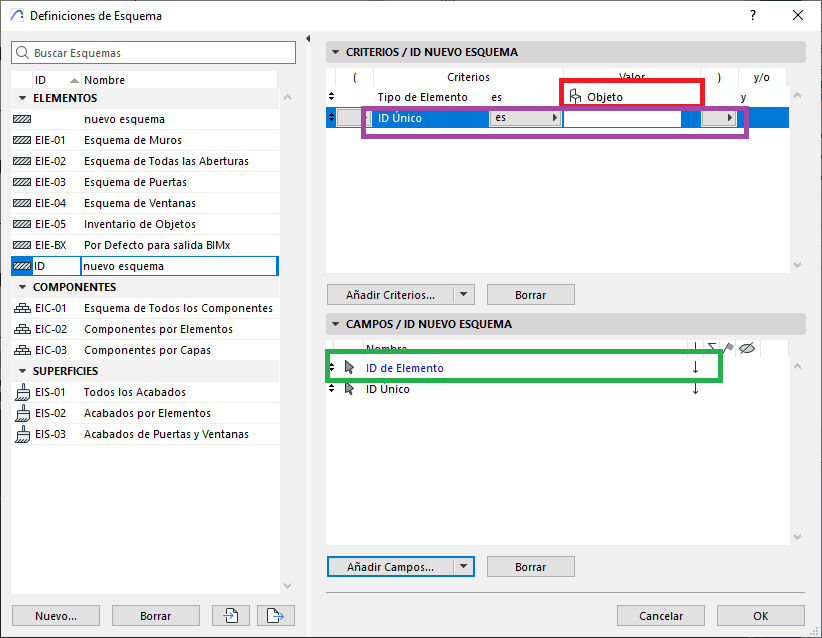
- In the Scheme Settings dialog box, in:
- Criteria / New Scheme ID:
- Element Type (red): will be Object
- And we'll add Unique ID as a criterion (purple).
- Fields / New Scheme ID:
- Add the Element ID field (green)
- We'll add another optional field, in this case Unique ID.
- Criteria / New Scheme ID:
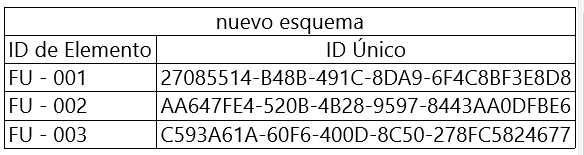
- Click OK in the Scheme Settings dialog box, and we get a scheme similar to the following image.
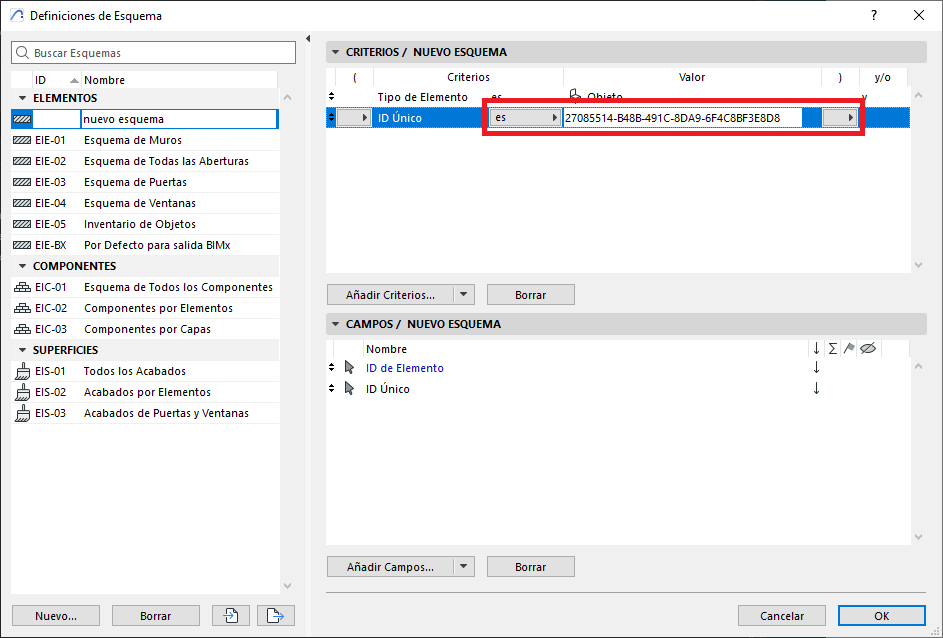
- To narrow down the object search even further, in the Scheme Settings window we'll enter the alphanumeric code generated by the Report window, in the Unique ID field.
- And in the resulting schedule we can select the object by clicking:
Select on Floor Plan (red).
Select in 3D (green).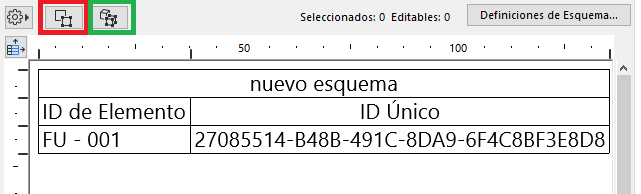
- This will open the chosen view with the object selected, and you can then either delete the object or reconfigure its parameters.
By following these steps you will be able to identify and fix errors related to degenerated objects, and keep your Archicad project in optimal health. However, if the problems persist, contact us through our official channel at https://my.simbim.es and our technical team will assist you.
Related articles
- How to Uniquely Identify Hotlink Module Zones in Archicad Schedules?
- How to Set the Origin of a 3D Texture in Archicad?
- Why Do Drawings Exported to PDF in Archicad Generate Very Large Files?
- How to Map a Custom Archicad Property to an IFC Property?
- How to Remove an Archicad Educational Licence from a Computer?