
Articles in this section
- How to Uniquely Identify Hotlink Module Zones in Archicad Schedules?
- How to Set the Origin of a 3D Texture in Archicad?
- Why Do Drawings Exported to PDF in Archicad Generate Very Large Files?
- How to Map a Custom Archicad Property to an IFC Property?
- How to Remove an Archicad Educational Licence from a Computer?
- How to Change an Archicad File Started in the International Version to the Spanish Version?
- How to Import a PDF to Use as a Reference in Archicad?
- How to Use Educational and Commercial Versions of Archicad on the Same Computer?
- How to Get the Archicad Connection with Twinmotion?
- How to Create a Structural Frame with the Create Truss Tool in Archicad?
How to Do Calculations in Bluebeam Revu?
Bluebeam Revu lets you perform automatic calculations within PDF forms, which is especially useful for technical or administrative tasks. If you need to add, multiply or perform any operation between form fields, follow these steps to configure the calculations correctly:
Steps to perform calculations in forms
-
Access the form tools
- Open your PDF file in Bluebeam Revu.
- Go to the top menu and select Tools > Forms > Form Editor, or open the Forms panel directly from the side panel
-
Create the necessary fields
- Add the form fields that will hold the numeric values you want to use in the calculation.
- To do this, select the field type (for example, Text Box) from the Forms panel and place it in the desired location on the PDF.
-
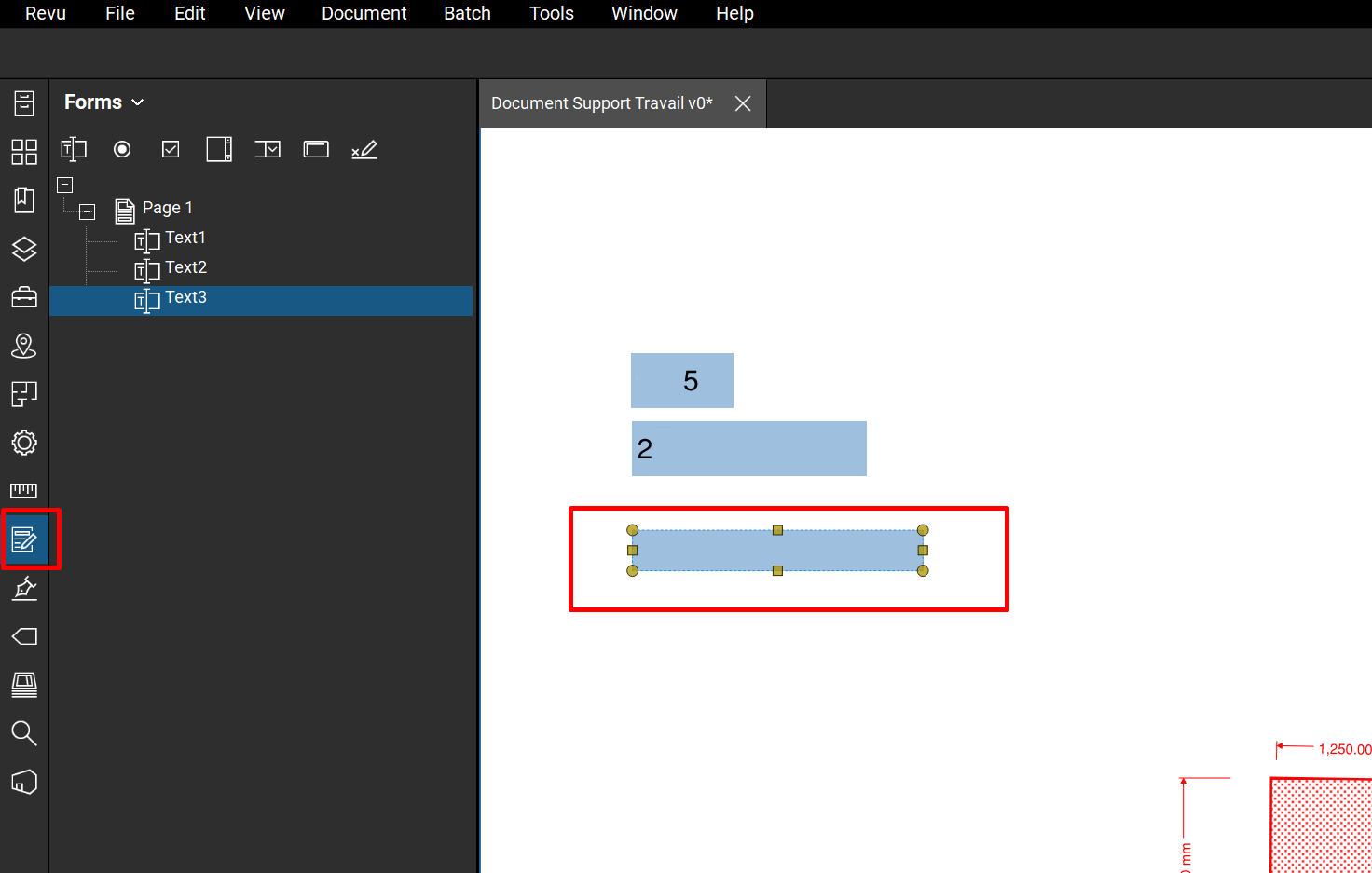
Create a field for the result
- Next, create a third field that will show the result of the calculation.
-
Select it to configure it in the following steps.
-
Access the field's properties
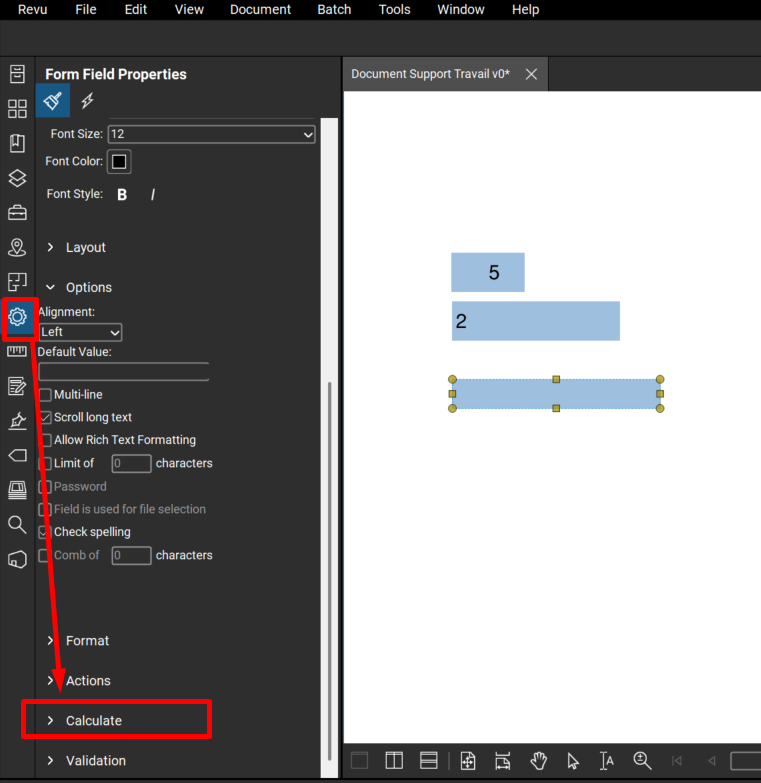
- With the field selected, go to the Properties panel.
-
Scroll down until you find the Calculate tab.
-
Configure the calculation type
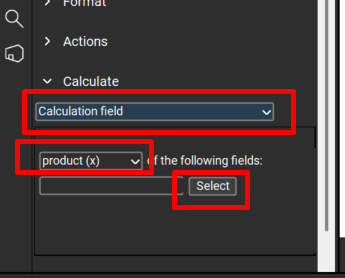
- In the Calculation Field section, select the type of operation you want to perform. For example, to multiply, choose Product.
-
Click Select to choose the fields that will take part in the calculation.
-
Select the fields involved
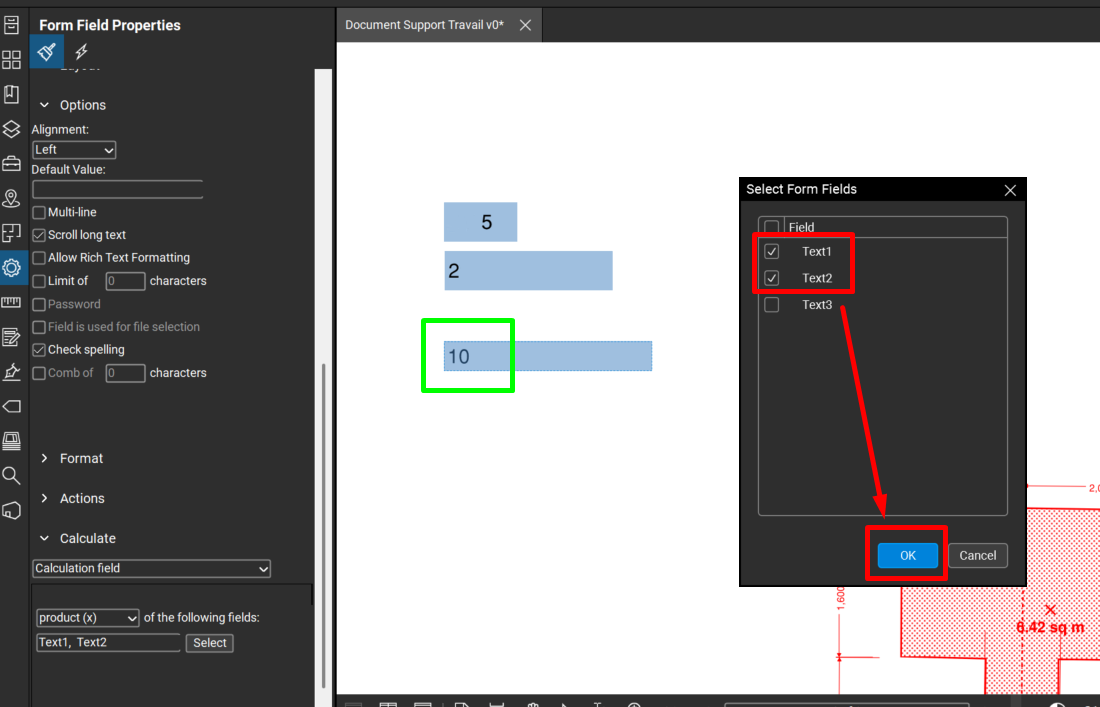
- Tick the two fields (or more) that contain the values you want to use in the operation.
- Click OK to confirm.
Important considerations
Bluebeam Revu only detects numbers within the fields, ignoring text, as long as they're grouped together. For example:
- In "46abc" or "x=46", the number 46 will be detected as a valid value.
- On the other hand, if the content is a mix of numbers and letters such as "ag4xrf6ht", the system won't interpret the value correctly, which can cause errors in the calculation.
Related articles
- How to Uniquely Identify Hotlink Module Zones in Archicad Schedules?
- How to Set the Origin of a 3D Texture in Archicad?
- Why Do Drawings Exported to PDF in Archicad Generate Very Large Files?
- How to Map a Custom Archicad Property to an IFC Property?
- How to Remove an Archicad Educational Licence from a Computer?