
Articles in this section
- How to Uniquely Identify Hotlink Module Zones in Archicad Schedules?
- How to Set the Origin of a 3D Texture in Archicad?
- Why Do Drawings Exported to PDF in Archicad Generate Very Large Files?
- How to Map a Custom Archicad Property to an IFC Property?
- How to Remove an Archicad Educational Licence from a Computer?
- How to Change an Archicad File Started in the International Version to the Spanish Version?
- How to Import a PDF to Use as a Reference in Archicad?
- How to Use Educational and Commercial Versions of Archicad on the Same Computer?
- How to Get the Archicad Connection with Twinmotion?
- How to Create a Structural Frame with the Create Truss Tool in Archicad?
How to Import an RFA (Revit Family) File in Archicad?
Archicad allows you to import .RFA files (Revit families) by converting them into compatible objects within the environment. However, the resulting object loses the editable parametric capabilities it had in Revit.
How to import an RFA file in Archicad
Import RFA as GDL Object
-
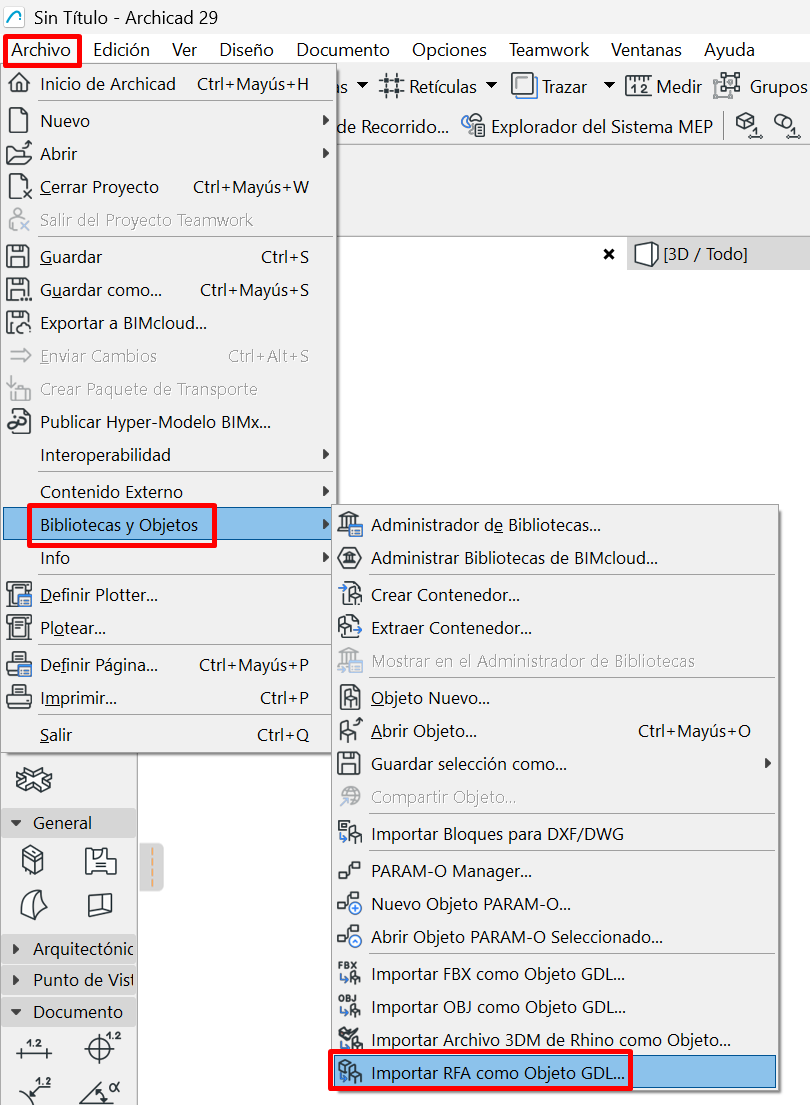
Go to File > Libraries and Objects > Import RFA as GDL Object.
- Find the
.RFAfile you want to import. - Select it and click Open.
-
In the Import RFA as GDL Object dialogue box, configure the import options as needed.
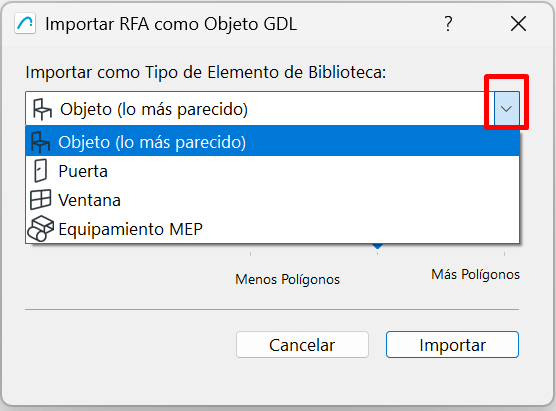
- Click Import.
- The object will be added automatically to the project's Embedded Library.
How to use the imported object
- Open the Object tool.
- Go to the Embedded Library.
- Find the imported object.
- Select it and place it in the project.
Important: Although the geometry and some parameters are preserved, the object converted to GDL does not retain Revit's native parametricity. Its behaviour will be limited compared with the original family.
Best practices
- Use simple RFA files (furniture, light fixtures, etc.).
- Check the object's scale after importing.
- Adjust materials within Archicad if necessary.
- Save the object in your library to reuse it.
Related articles
- How to Uniquely Identify Hotlink Module Zones in Archicad Schedules?
- How to Set the Origin of a 3D Texture in Archicad?
- Why Do Drawings Exported to PDF in Archicad Generate Very Large Files?
- How to Map a Custom Archicad Property to an IFC Property?
- How to Remove an Archicad Educational Licence from a Computer?