
Articles in this section
- How to Uniquely Identify Hotlink Module Zones in Archicad Schedules?
- How to Set the Origin of a 3D Texture in Archicad?
- Why Do Drawings Exported to PDF in Archicad Generate Very Large Files?
- How to Map a Custom Archicad Property to an IFC Property?
- How to Remove an Archicad Educational Licence from a Computer?
- How to Change an Archicad File Started in the International Version to the Spanish Version?
- How to Import a PDF to Use as a Reference in Archicad?
- How to Use Educational and Commercial Versions of Archicad on the Same Computer?
- How to Get the Archicad Connection with Twinmotion?
- How to Create a Structural Frame with the Create Truss Tool in Archicad?
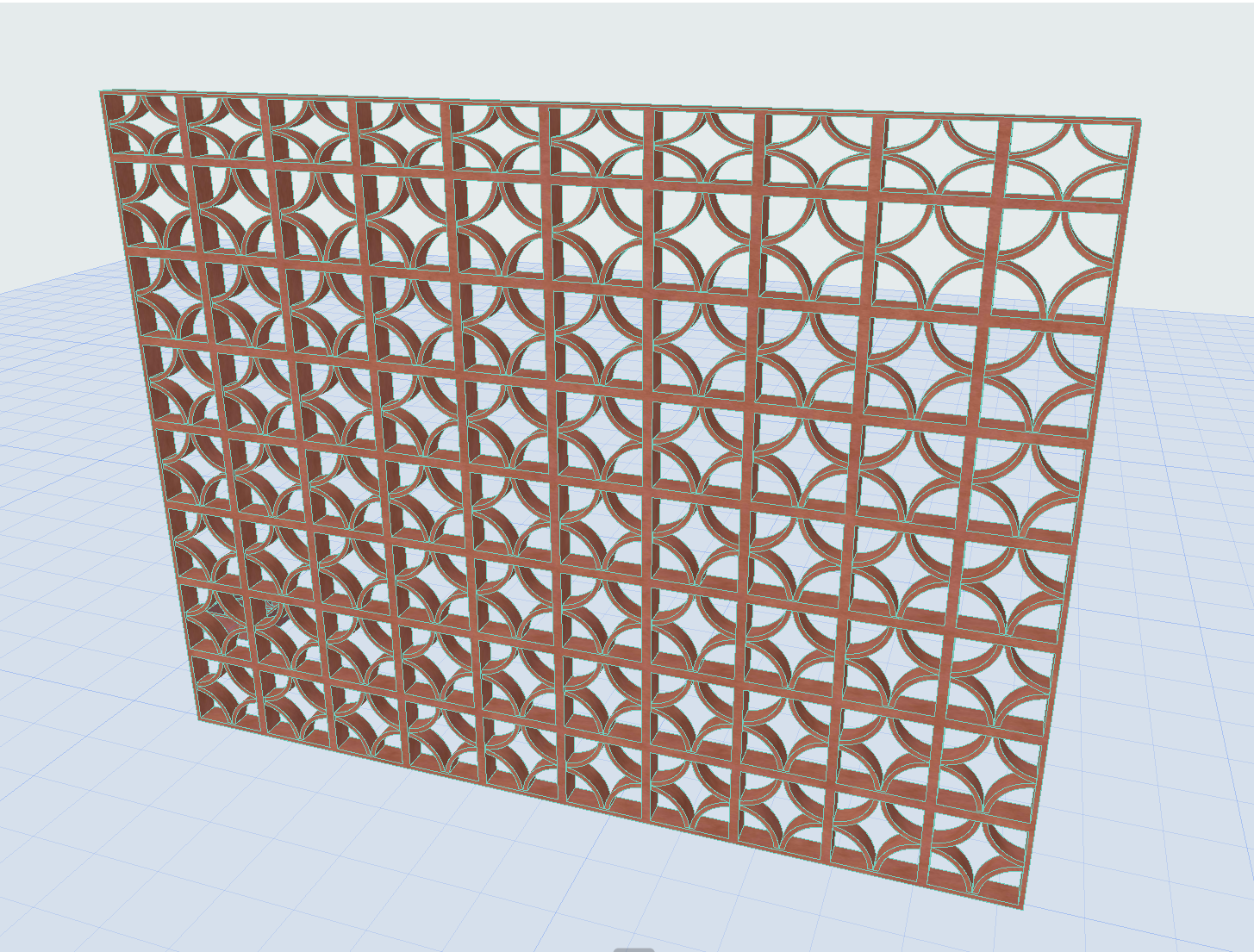
How to Model a Brick Lattice Using the Curtain Wall Tool?
The following are the steps to efficiently model a brick lattice in Archicad using a Curtain Wall Panel.
- Model the desired brick using the Slab tool, for example.
-
Go to File > Libraries and Objects > Save Selection as > Curtain Wall Panel.
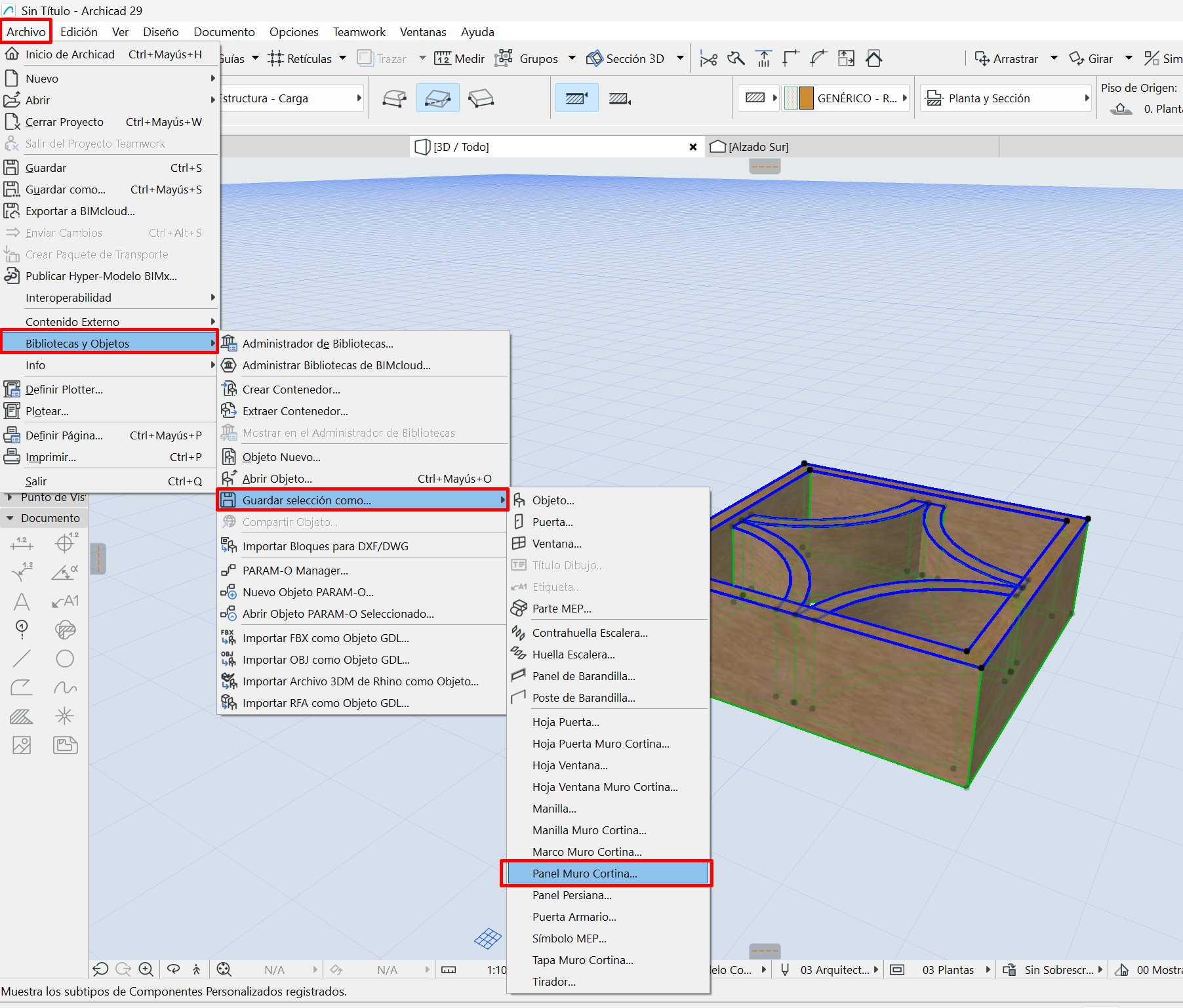
- Create a Curtain Wall and open its settings.
-
On the Scheme tab, delete all the panels until only one remains and assign it the dimensions of your brick. Make sure to select the main panel at the bottom.
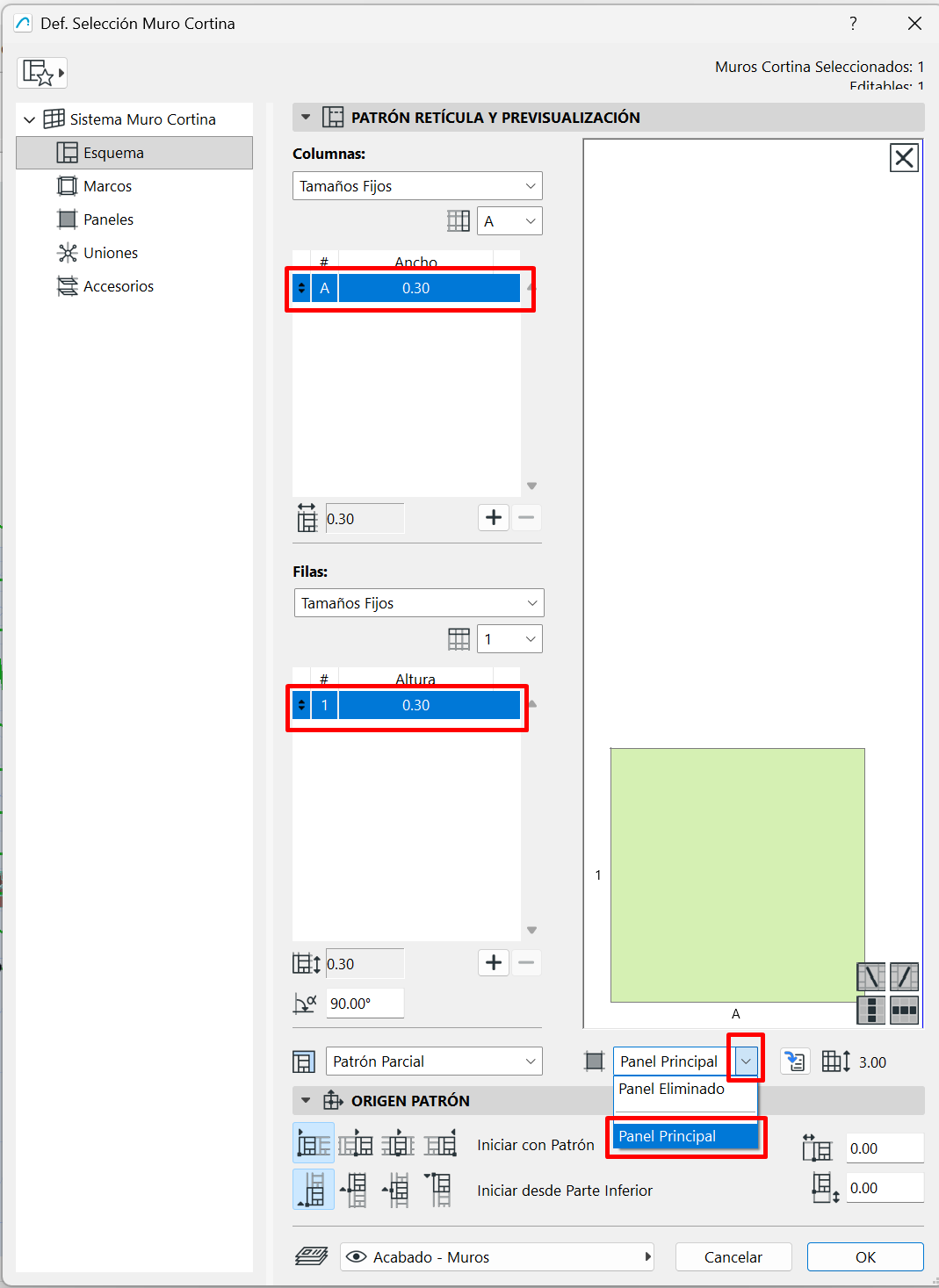
-
On the Frames tab, for all frames, assign an invisible frame type and change the thickness to 0.00.
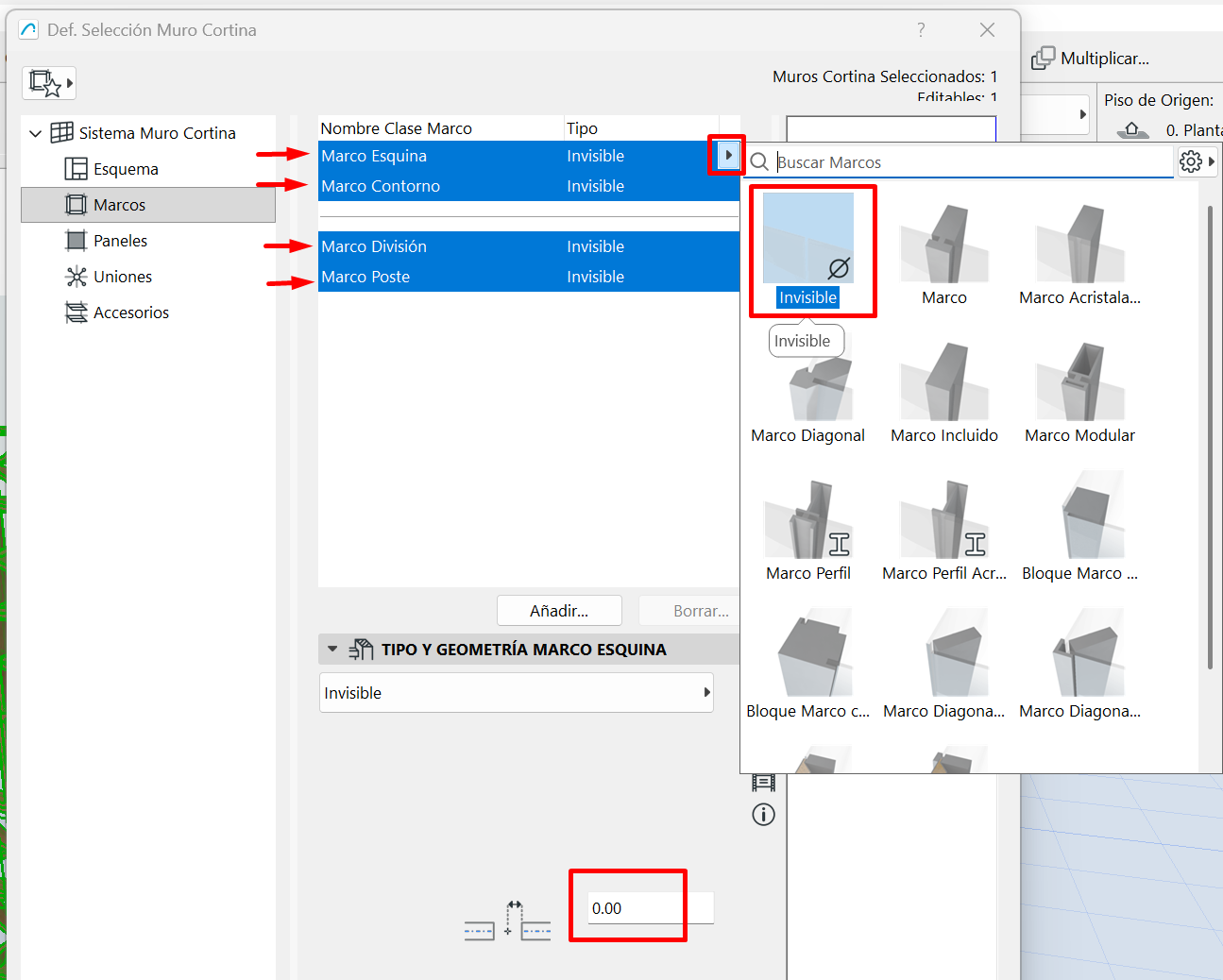
- On the Panels tab, delete the secondary panel.
-
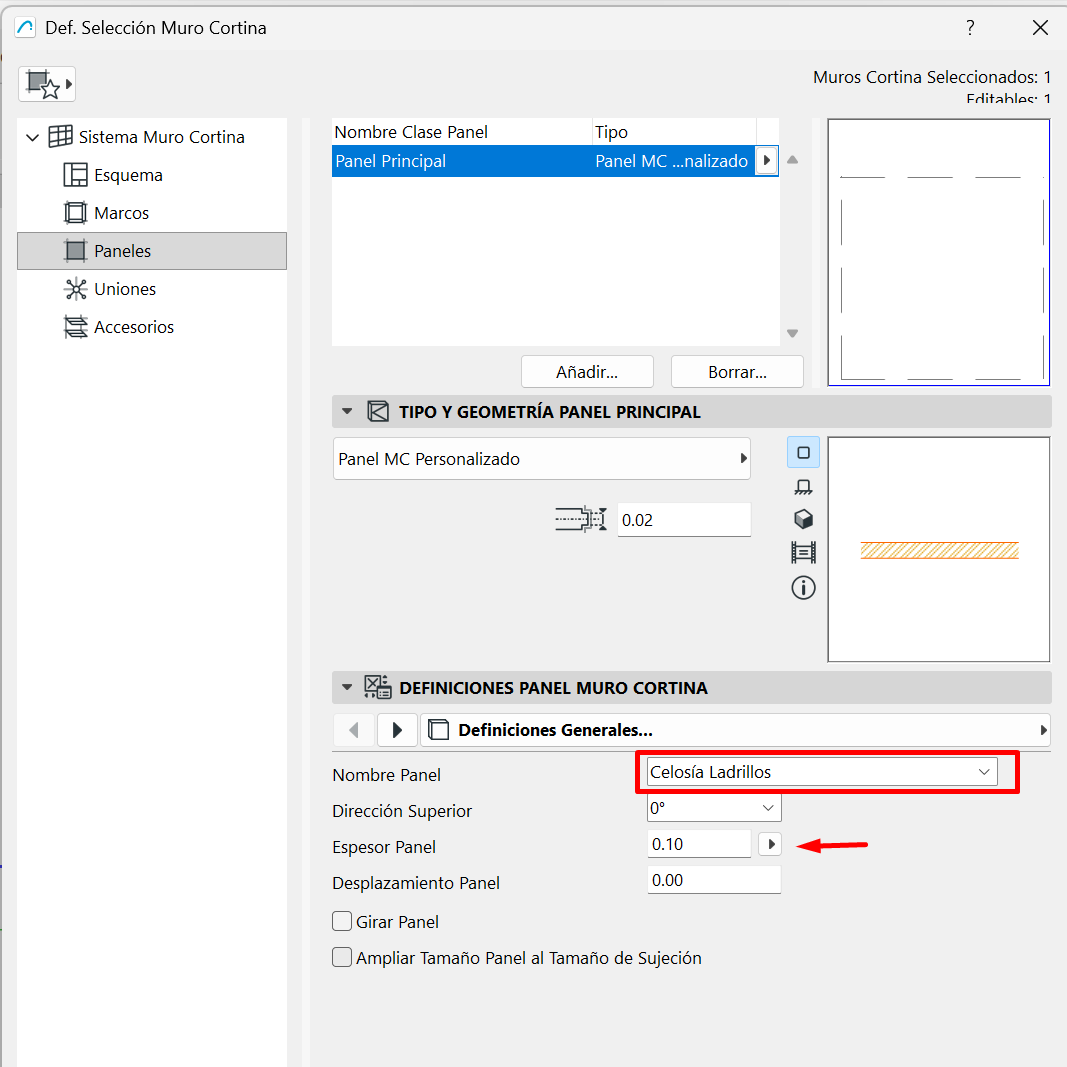
In the Main Panel, select Custom CW Panel.
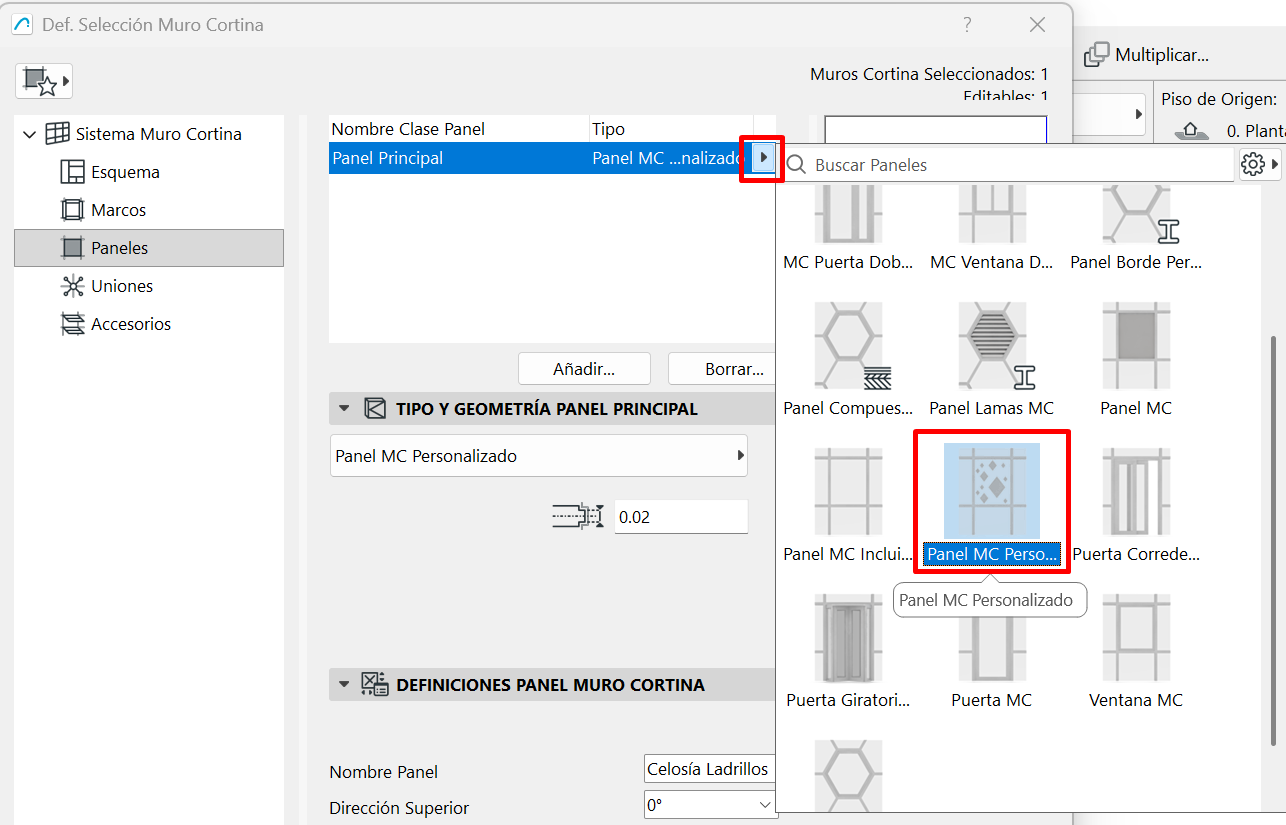
-
In the panel's general settings, select the custom panel and assign the thickness you originally gave it.
-
Click OK and you're done
Related articles
- How to Uniquely Identify Hotlink Module Zones in Archicad Schedules?
- How to Set the Origin of a 3D Texture in Archicad?
- Why Do Drawings Exported to PDF in Archicad Generate Very Large Files?
- How to Map a Custom Archicad Property to an IFC Property?
- How to Remove an Archicad Educational Licence from a Computer?