
Articles in this section
- How to Uniquely Identify Hotlink Module Zones in Archicad Schedules?
- How to Set the Origin of a 3D Texture in Archicad?
- Why Do Drawings Exported to PDF in Archicad Generate Very Large Files?
- How to Map a Custom Archicad Property to an IFC Property?
- How to Remove an Archicad Educational Licence from a Computer?
- How to Change an Archicad File Started in the International Version to the Spanish Version?
- How to Import a PDF to Use as a Reference in Archicad?
- How to Use Educational and Commercial Versions of Archicad on the Same Computer?
- How to Get the Archicad Connection with Twinmotion?
- How to Create a Structural Frame with the Create Truss Tool in Archicad?
How to Redefine the Reference Point (User Origin) When Drawing Elements in Archicad?
When you draw an element in Archicad (for example, a wall), you can redefine the reference point (User Origin) to enter exact measurements without using guide lines. This article explains how to do this quickly while tracing.
Steps
-
Step 1 — Start the drawing
- Start drawing the element wherever you need it (make the first click to begin the wall or other element).
-
Step 2 — Point to the reference point
- Position the cursor over the corner, node or model point you want to use as a reference.
-
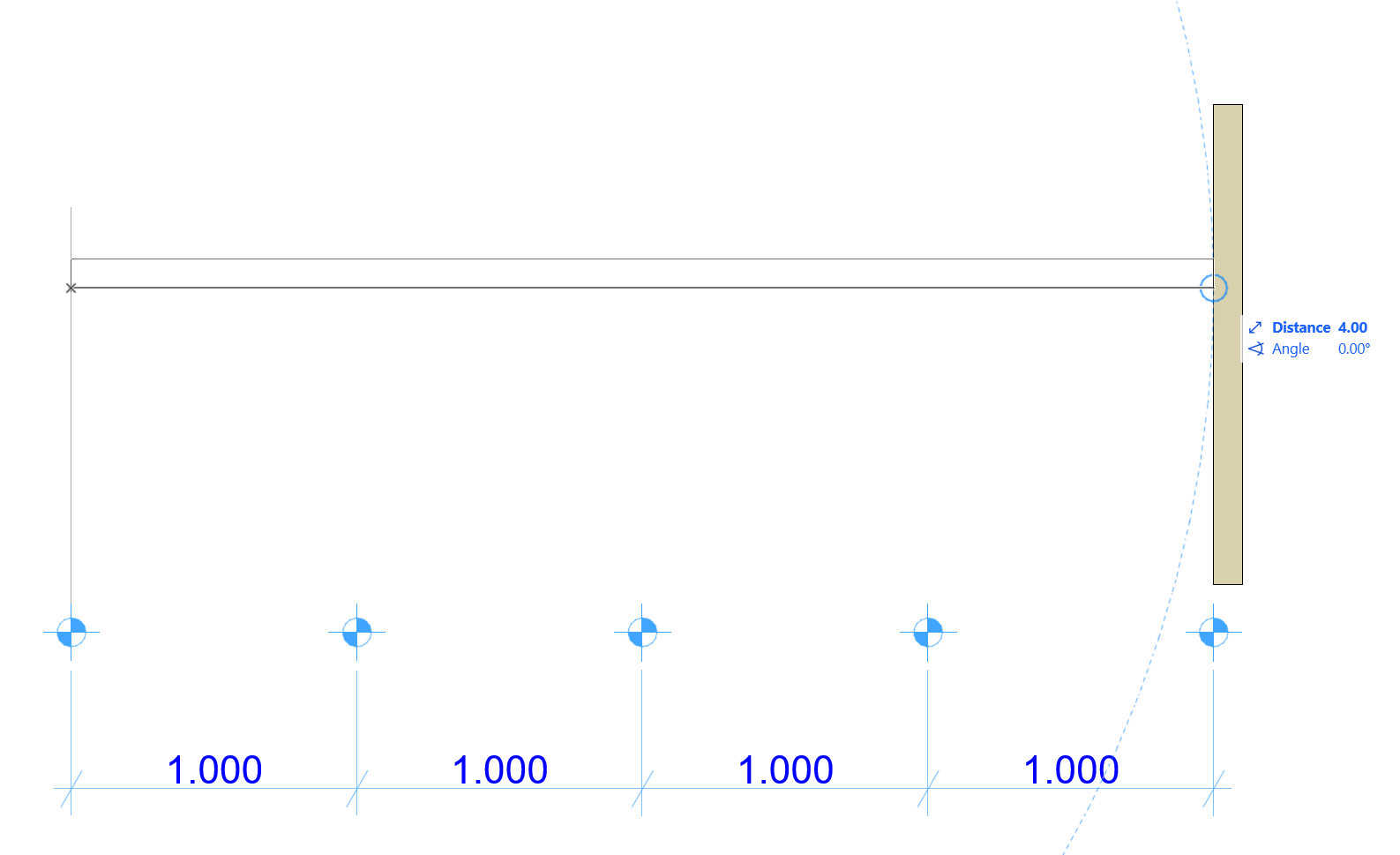
Step 3 — Wait for the reference mark
-
Wait a moment until you see the blue circle confirming that the point has been detected.
-
-
Step 4 — Set the new origin
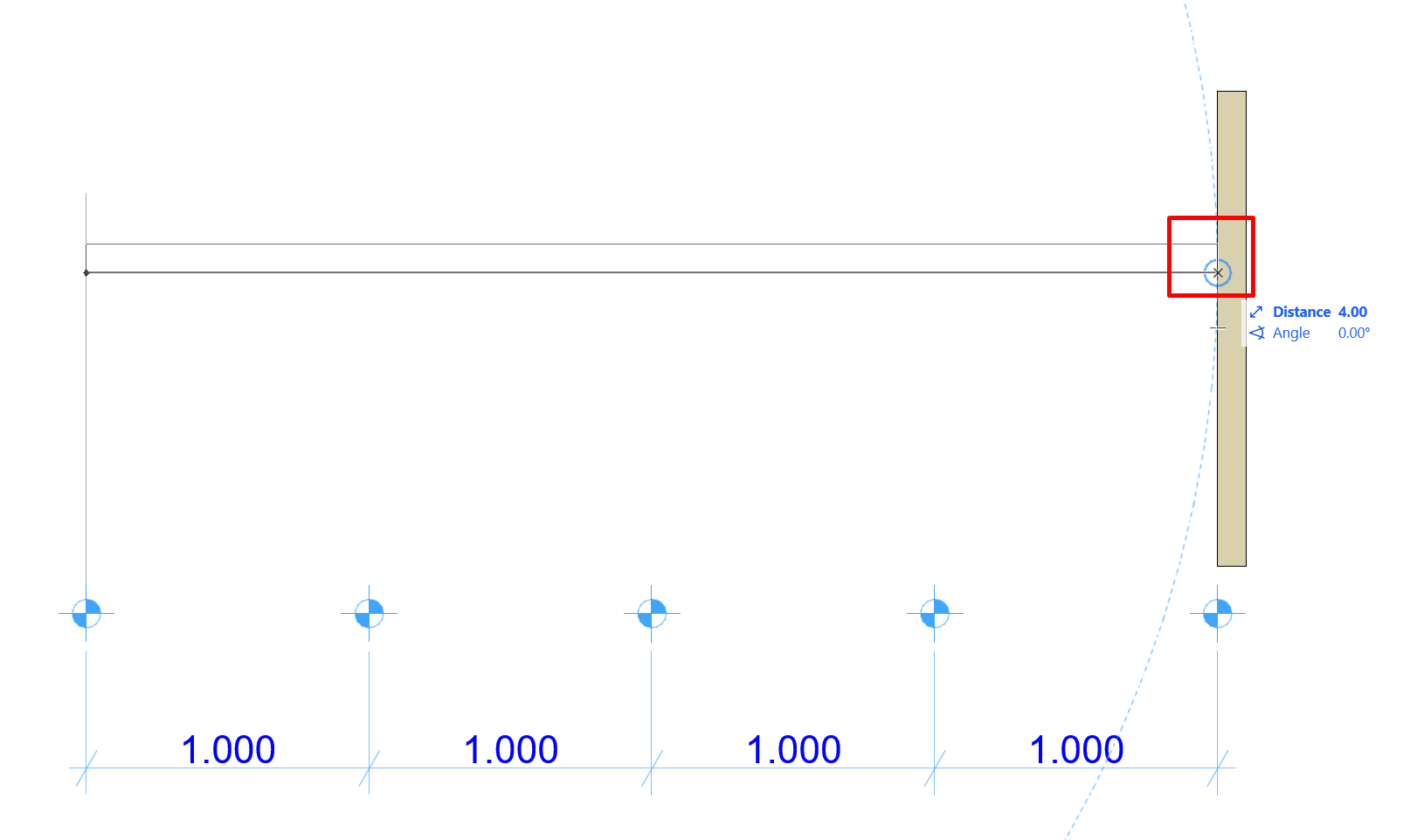
- Press ALT + SHIFT.
-
Step 5 — Check the User Origin
-
The X marking the new User Origin will appear on screen at the selected point.
-
-
Step 6 — Enter the relative distance
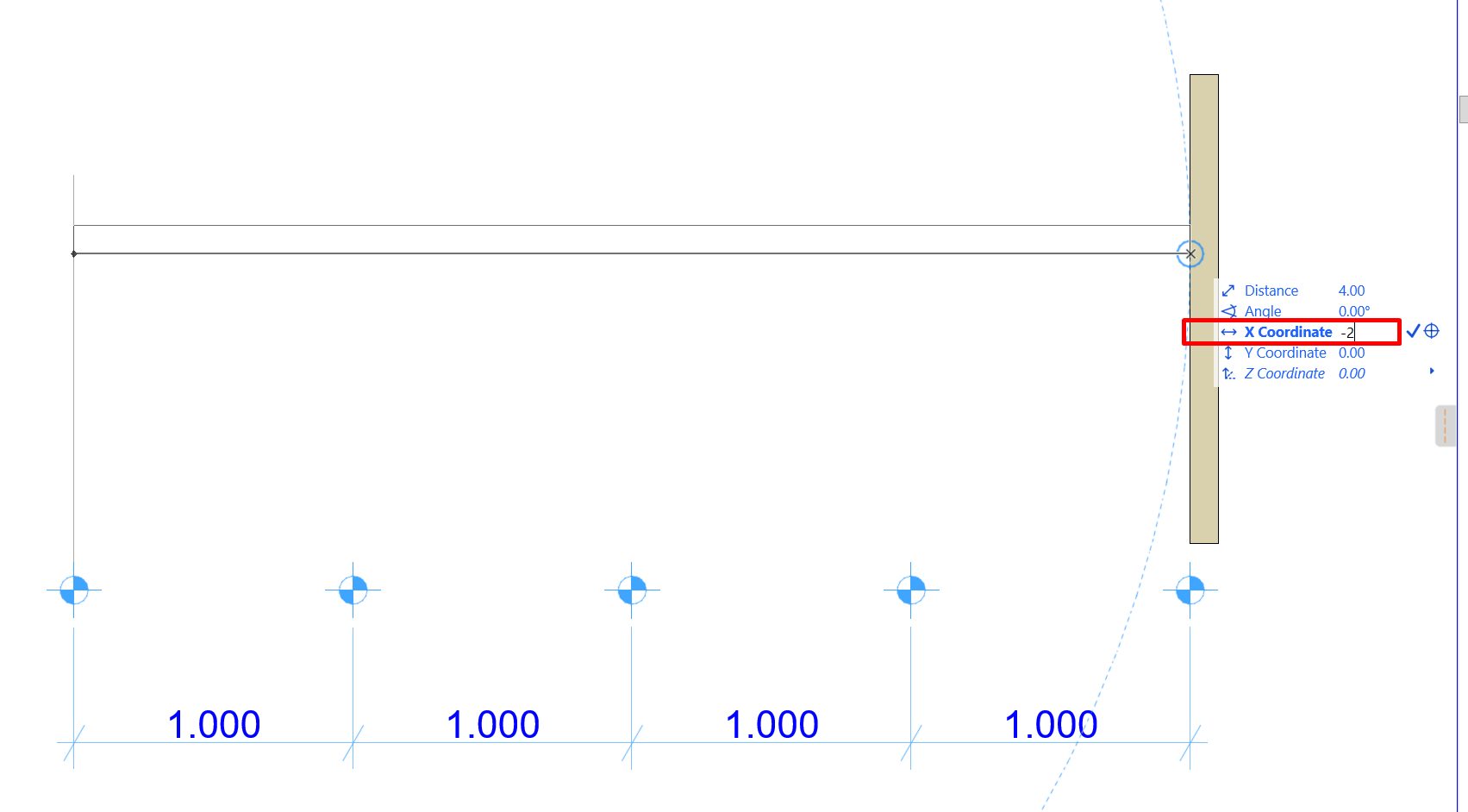
- Depending on the axis you want, press X or Y and type the distance from the marked origin.
- To go in the opposite direction, add a minus sign before it.
-
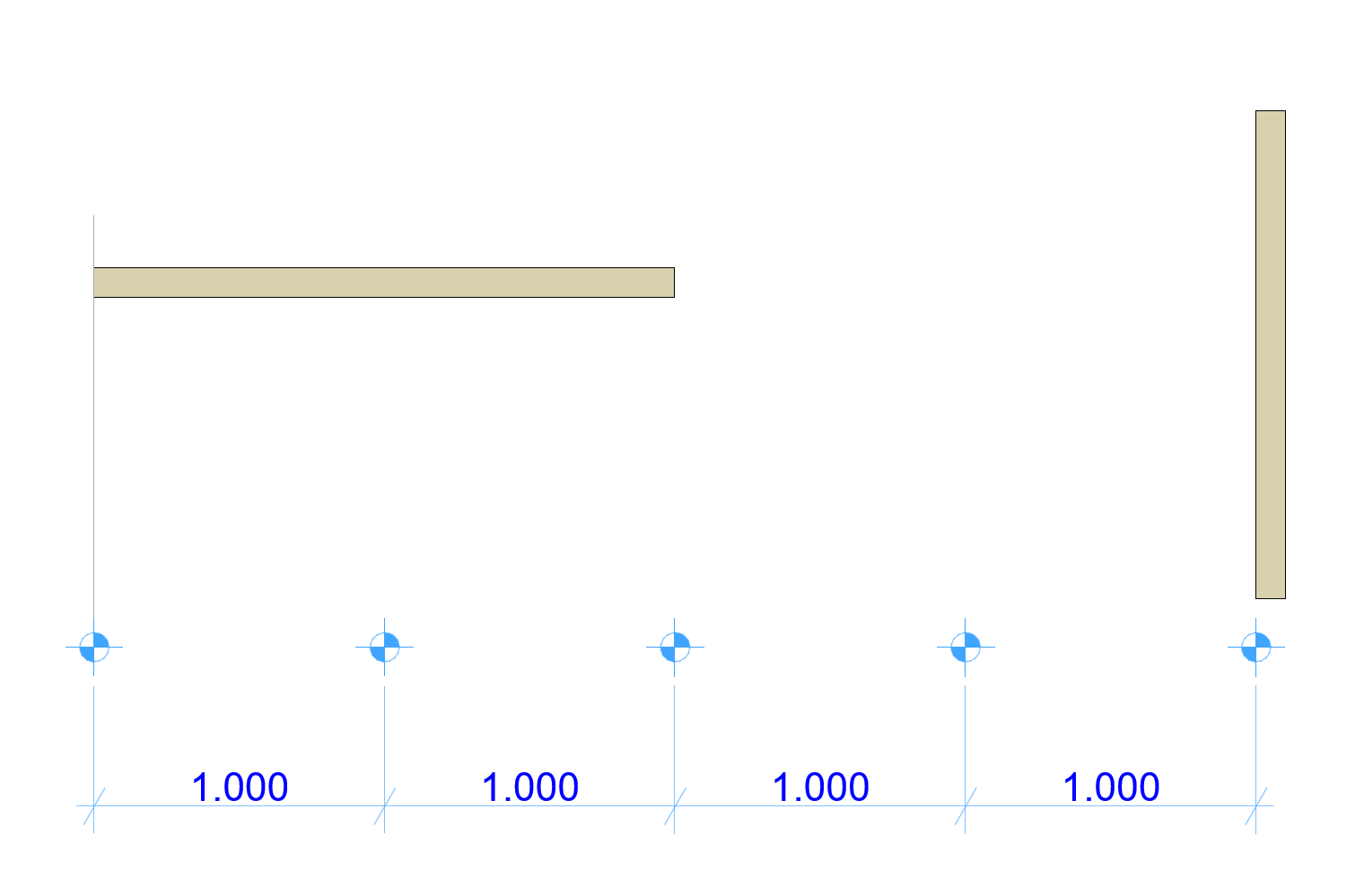
Example: to finish the wall 2 m to the left of the reference point, press X and type -2. The element will be completed exactly 2 m to the left of the defined origin.
Notes and best practices
- This workflow applies to walls, lines, dimensions, slabs, beams and other elements that require precise measurements.
- If the blue circle doesn't appear, move the cursor slightly until Archicad detects the point.
- You can repeat ALT + SHIFT at any time to redefine the User Origin.
Related articles
- How to Uniquely Identify Hotlink Module Zones in Archicad Schedules?
- How to Set the Origin of a 3D Texture in Archicad?
- Why Do Drawings Exported to PDF in Archicad Generate Very Large Files?
- How to Map a Custom Archicad Property to an IFC Property?
- How to Remove an Archicad Educational Licence from a Computer?