
Articles in this section
- How to Create an Archicad Template and What It Should Contain?
- How to Reallocate Bluebeam Subscriptions Between Accounts?
- How to Subscribe to Software with SIMBIM
- Archicad Files Don't Show the Correct Icon on Windows
- Why Can't I Assign a Licence If the User Shows Up as a Guest?
- How to Reset Your Bluebeam ID (BBID) Password?
- How to Transfer Markups to Another Document?
- How to Manage My Bluebeam Subscriptions?
- How to Change the Administrator of a Graphisoft ID Company?
- How to Use Bluebeam Revu on Mac Computers?
What Are the New Features in Archicad 28? Global Library
Reading time: 5 min.
Archicad 28 introduces the Global Library, a significant technological change that improves the flexibility and usability of library content. This article explores the new features and benefits of the Global Library, providing information on how it can improve your workflow and collaboration.
Key features of the Archicad 28 Global Library
-
Independence from language and software versions
-
The Global Library is designed to be independent of specific Archicad language and software versions. This means users can access a wider range of objects and migrate between versions more easily.
-
-
Content expansion
-
With the Global Library, users benefit from access to an expanded range of elements across all language versions. Library objects that were previously available only in specific markets can now be used by everyone, in their preferred language.
-
-
Improved collaboration
-
Standardising library content across different language versions makes it easier to collaborate with stakeholders globally. This ensures everyone works with the same set of objects, regardless of their language version.
-
-
Optional use
-
Users have the flexibility to choose between continuing with the previous Monolithic Library format or transitioning to the new Global Library format. Archicad 28 or later is required to use the Global Library.
-
-
Template compatibility
-
Templates compatible with the Global Library are also compatible with future versions of Archicad. Users need to recreate their favourites and reset the default tool settings and Model View Options due to the technological change.
-
-
Library Manager updates
-
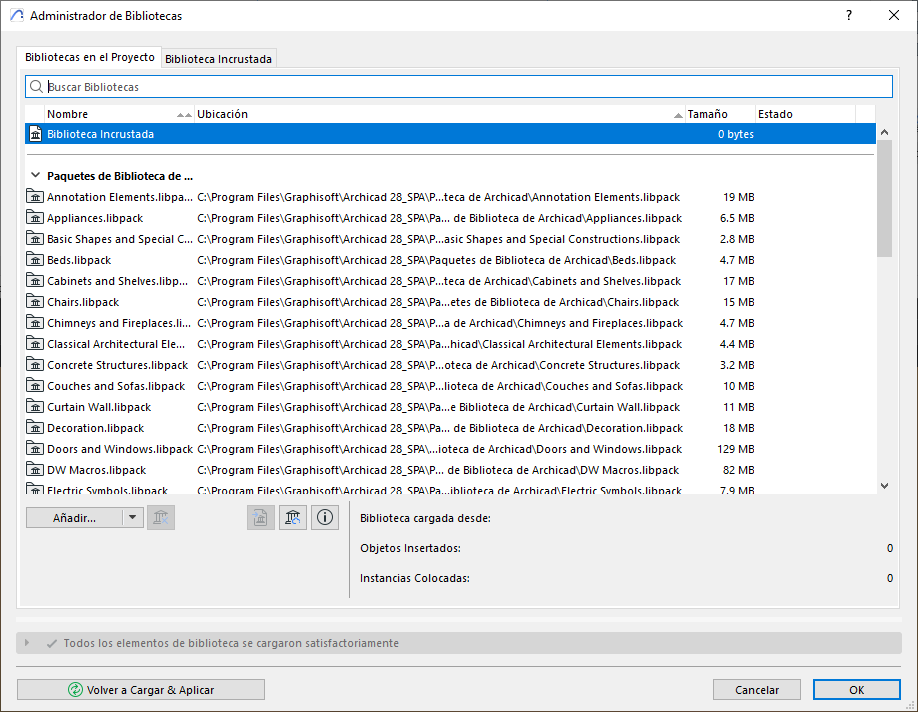
Library parts are now structured into separate packages, allowing customisation according to user preferences. Users can add new packages and organise them in a way that suits their workflow.
-
-
Improvements to Model View Options
-
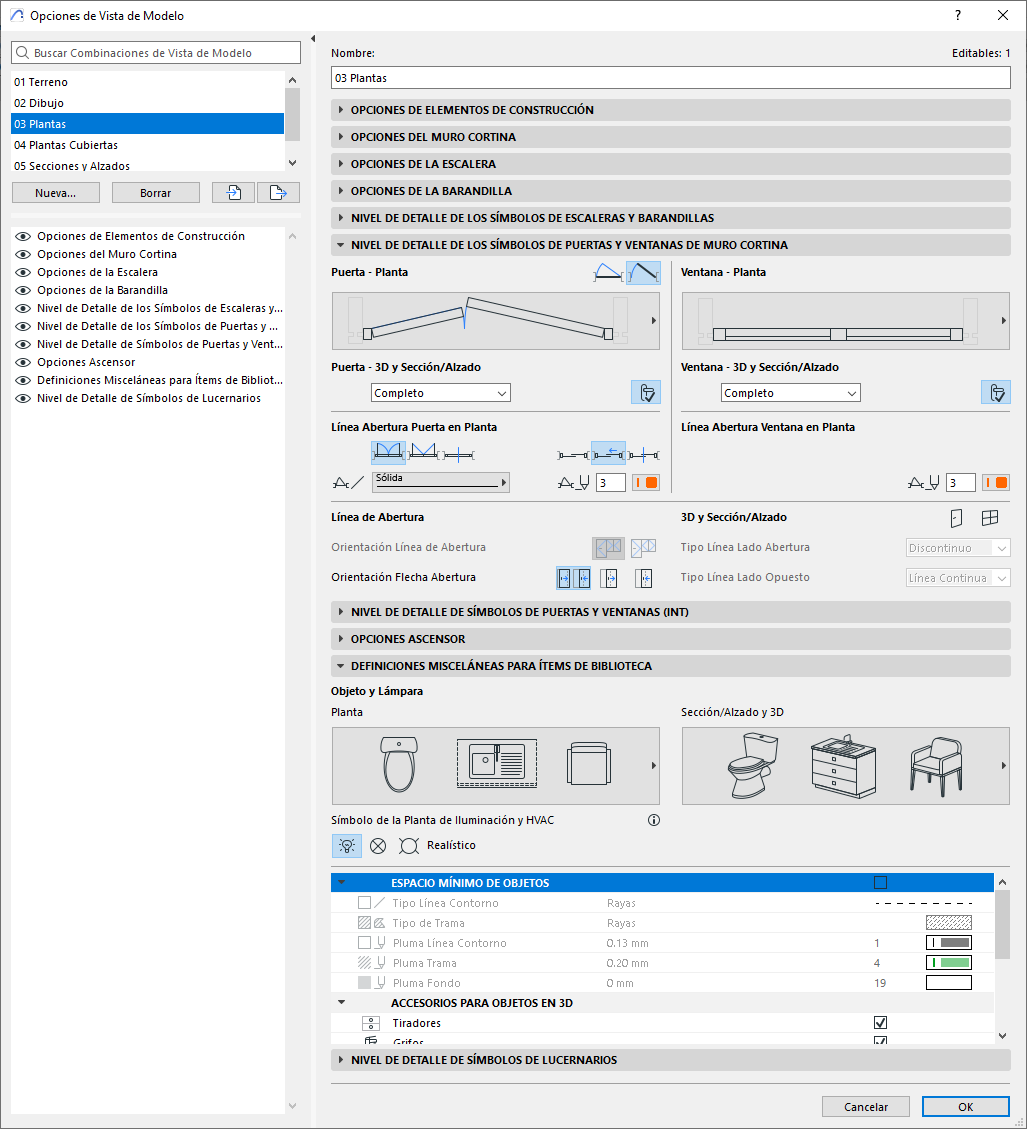
Updates to Model View Options include a new visibility control panel and a wider range of levels of detail. Dedicated controls for managing elements such as open or closed sheets, sealing boards, centre symbols and glazing lines provide more precise management.
-
Benefits
-
Flexibility: Users can choose to maintain continuity with the previous library format or transition to the new Global Library.
-
Ease of Use: The new structure simplifies the process of locating content and customising library packages.
-
Future-Ready: Compatibility with future versions of Archicad ensures long-term usability.
Getting started with the Global Library
To start using the Global Library, you need Archicad 28 or a later version, the library packages that come with Archicad 28 by default, and a template that’s compatible with the Global Library. If you choose to maintain continuity with the previous library format, simply load the Archicad 27 library and keep the Archicad 27 template while using Archicad 28.
Tips for the Transition
-
Recreate Favourites: Recreate your favourites and reset the default tool settings and Model View Options, as these were restructured with the technological change.
-
Library Manager: Use the Library Manager to add new packages and customise the structure to your preferences.
-
Ongoing Projects: Complete ongoing projects with the Monolithic Library and introduce the Global Library in new projects.
The following article explains how to convert the Favourites in your Archicad template to use the Global Library instead of the Monolithic Library: